Data
PlayMaker's data-driven workflow starts with a Data Definition.
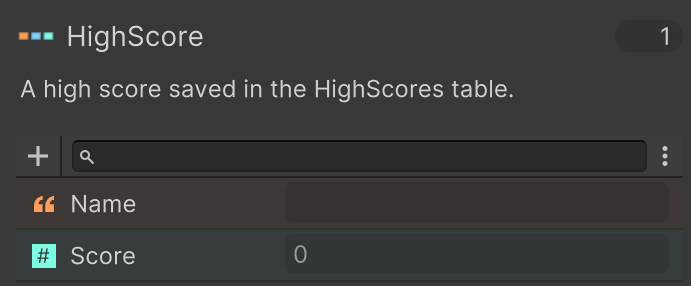
A Data Definition defines the fields, value types, and default values for a custom data type, and everything else builds on that shared structure.
Workflow Overview
- Create a Data Definition to define your data shape.
- Store data in DataRecord variables, Data Components or Data Tables.
- Use Data Actions to read, write, transform, and display that data in FSM logic and UI.
This structure keeps gameplay logic, UI, and data organization consistent across your project.
Categories
Add, remove, read, and react to data attached directly to GameObjects.
Work with DataRecord values for copying, field access, expression evaluation, and UI updates.
Manage row-based datasets for inventories, catalogs, sorting, filtering, and persistence.
Control table-based UI behavior such as clear, rebuild, refresh, and row actions.
Control page navigation and query current/total page state for paged UI flows.