Data Table
Data Tables let you store and organize custom data as rows.
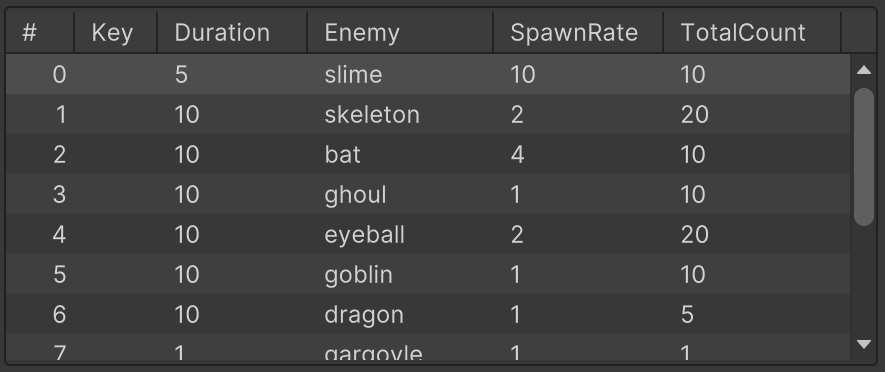
This is useful for things like inventory items, shop entries, dialogue options, quests, etc.
A Data Table can be stored in an Asset or Component.
Creating Data Table Assets
In the Project Window:
Create > PlayMaker > Data > Data Table
Adding Data Table Components
On a GameObject:
Add Component > PlayMaker > Data > Data Table Component
Inspector
The Data Table inspector shows a list view of the whole table.
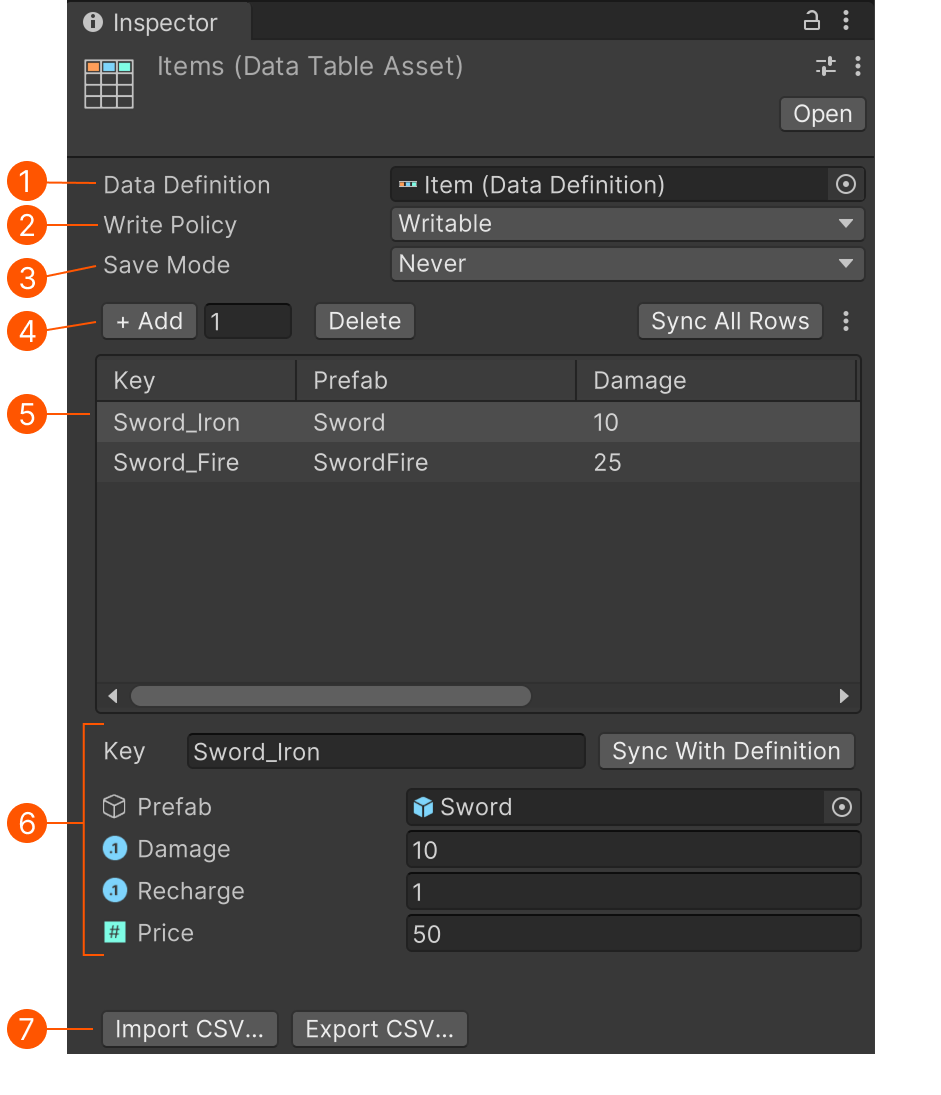
| # | Control | Description |
|---|---|---|
| Data Definition | The data definition used to build the table. | |
| Write Policy | Determines how the table can be written to at runtime. | |
| Save Mode | Sets if/how the table can be saved and loaded using the Save System | |
| Edit Controls | Edit a field's name, type and default value. The description will be used in tooltips. |
|
| Table View | A multi-column list view. Select an item to edit it. | |
| Row Editor | Edit the selected row. Use the Key as an optional identifier for the row. | |
| Import/Export | Import/Export controls. Use this to edit tables in another tool. | |
| Sync With Definition | Sync the row to a defintion if it has changed. |
Write Policy
- Writable - The table can be freely changed.
- Readonly - The table cannot be written to at runtime. Useful for configurations and presets.
Edit Controls
- Add - Add the specified number of rows to the table.
- Delete - Delete the selected rows.
- Sync All Rows - Sync the table to the definition if it has changed.
- Menu - Misc options (Delete all rows)
You can also multi-select rows and delete or move them.
Import Export Tools
These tools let you export the table in a format that can be edited in external tools.
For example, export a CSV to edit in a spreadsheet tool, then import the edited CSV to update the table.
Workflow Example
Define data for a wave of enemies:
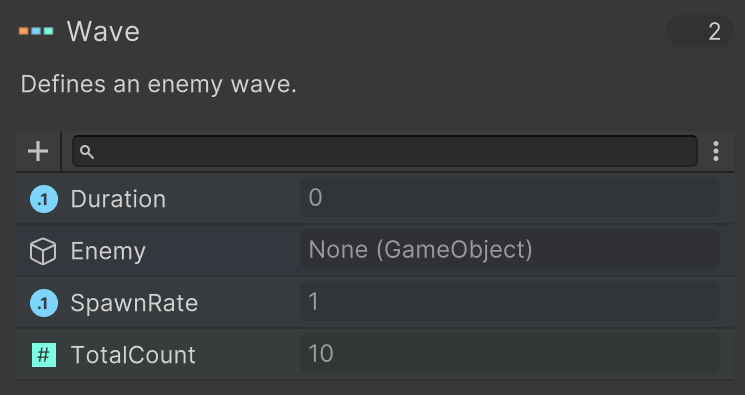
Use this to build a table of enemy waves:
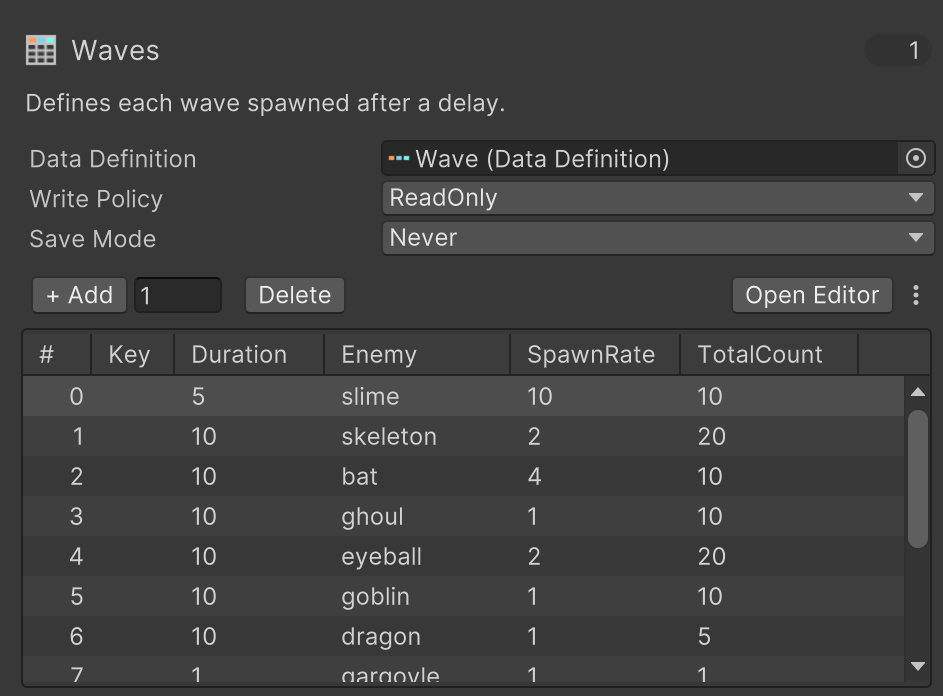
Use actions to get information on the next wave:
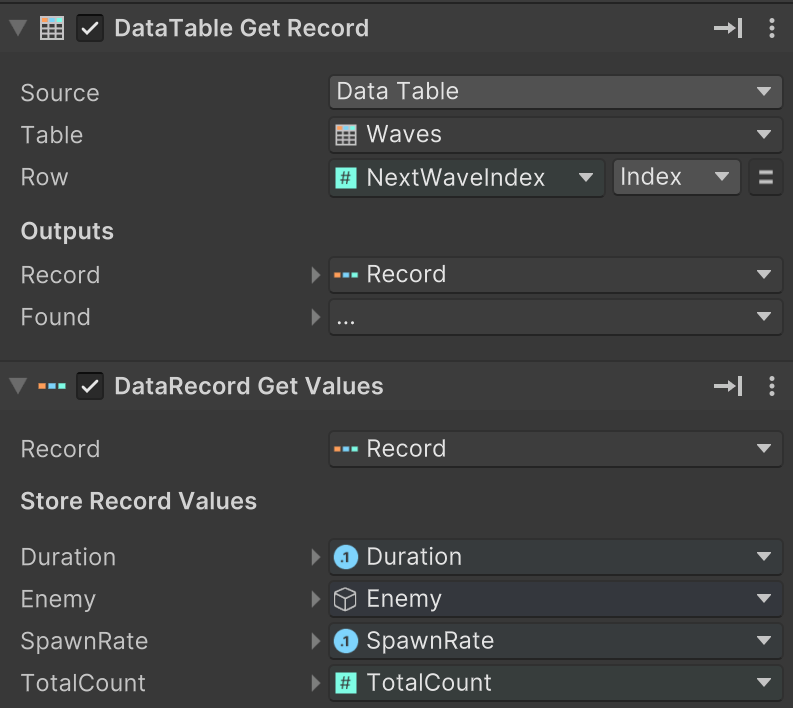
Use this information to spawn the next wave.