Data Definition
A Data Definition asset lets you create a custom data type.
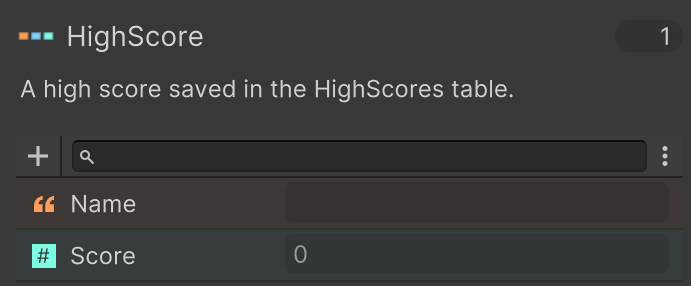
Examples:
- HighScore - Name, Score
- Enemy - Prefab, Name, Hitpoints
- InventoryItem - Texture2D, Name, Cost
The custom type can be used in:
- DataRecord variables - local or global variables.
- Data Components - Attach data to GameObjects.
- Data Tables - Manage related data in a table.
Creating Data Definitions
In the Project Window:
Create > PlayMaker > Data > Data Definition
Inspector
The Data Definition editor lets you add and edit fields in the definition.
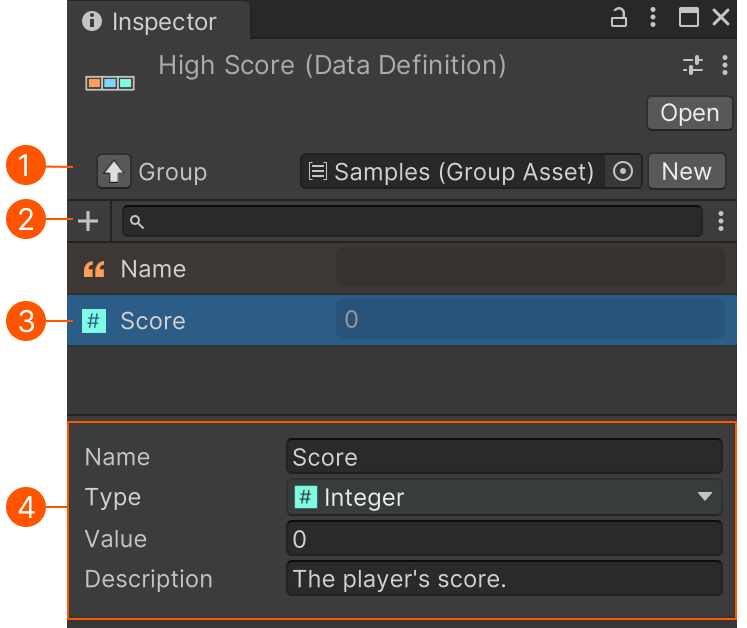
| # | Control | Description |
|---|---|---|
| Group | Optional group for organization. | |
| Add | Add a new data field. | |
| Field | Select a field to edit it. | |
| Editor | Edit a field's name, type and default value. The description will be used in tooltips. |
Note
Data Definitions are shared assets, so changes can affect many systems at once.
- Added fields appear everywhere this definition is used, initialized with their default values.
- Removed fields are removed from records, components, and tables that use this definition.
- Changing a field type can break existing setups that depended on the old field.
Workflow Example
Define data for a wave of enemies:
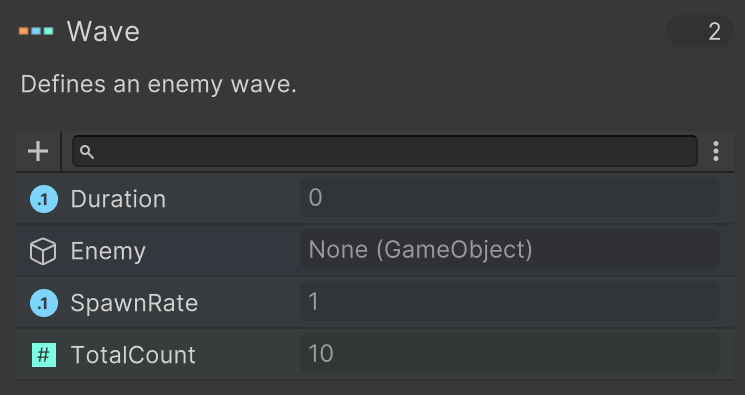
Use this to build a table of enemy waves:
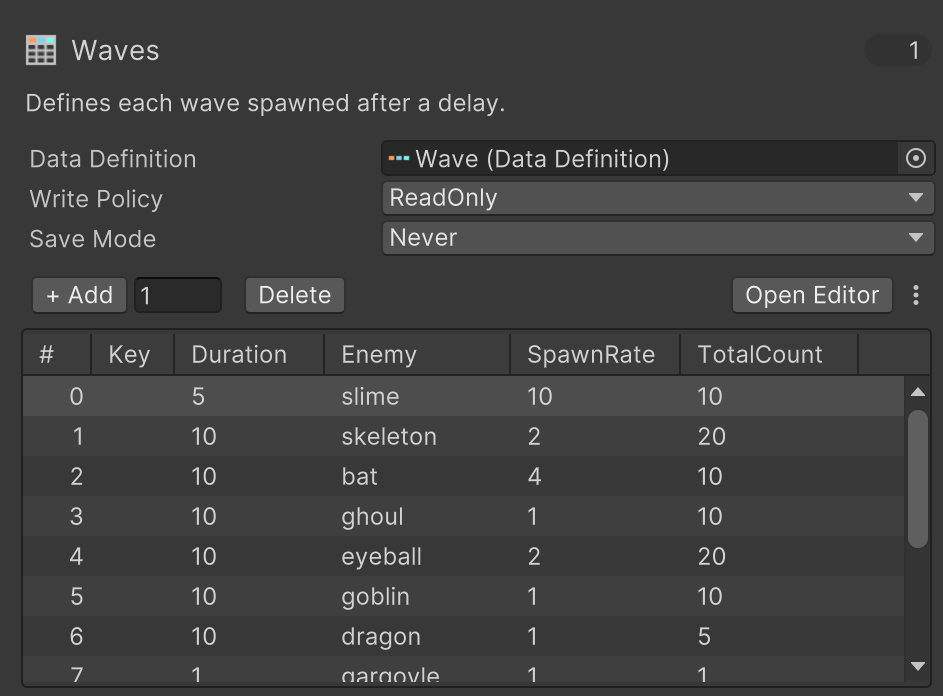
Use actions to get information on the next wave:
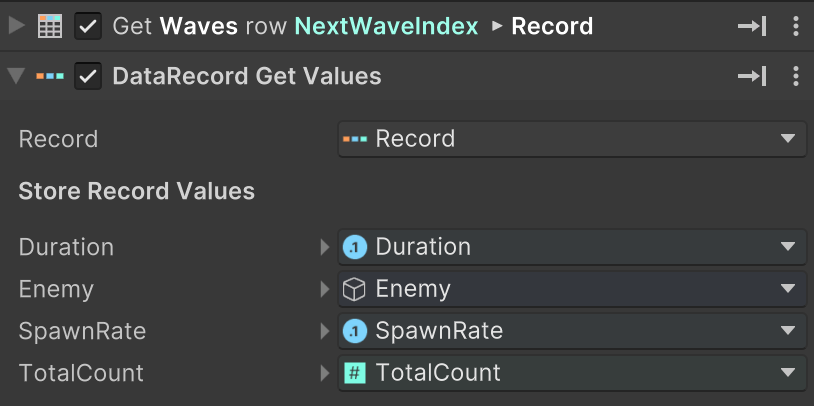
Use this information to spawn the next wave.