Action Editor
The Action Editor lets you configure and customize actions.
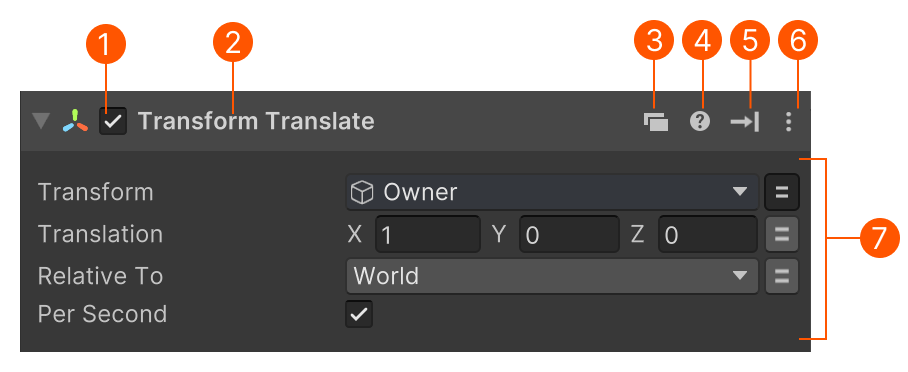
| # | Control | Description |
|---|---|---|
| Enable | Enable or disable an action. Disabled actions do not run and are ignored by validation. |
|
| Name | The action’s name, or summary when collapsed. Double-click to enter a custom name. |
|
| Convert | Opens a menu to convert the action to another compatible one. | |
| Help | Hover to view a short description. Click to open full documentation. | |
| Update Mode | Hover to view the current Update Mode. Click to change it. | |
| Settings Menu | Opens the Settings Menu with advanced options. | |
| Parameters | Set values that control how the action behaves. See Action Parameters. |
Summaries
When collapsed, actions display a concise summary:

Workflow Tip
Collapse actions after configuring them - summaries make the list easier to scan and understand at a glance.
Convert Menu
Use the Convert Menu to quickly switch between related actions:
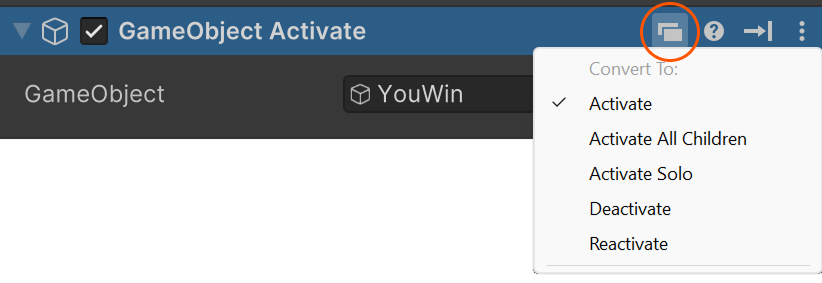
Swapped actions keep as many parameter settings as possible.
Action Blocks
Some actions are built from configurable action blocks. These blocks let you choose between different ways an action works, or add optional features.
Use these buttons to manage action blocks:
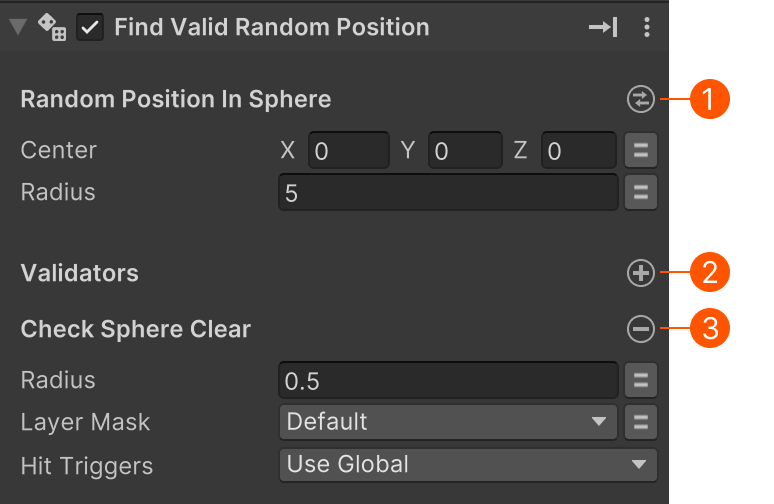
| # | Control | Description |
|---|---|---|
| Swap | Replace the current block with another available block. | |
| Add | Add an optional action block. | |
| Remove | Remove the current optional block. |
Debug Info
Some actions show runtime debug info while playing:
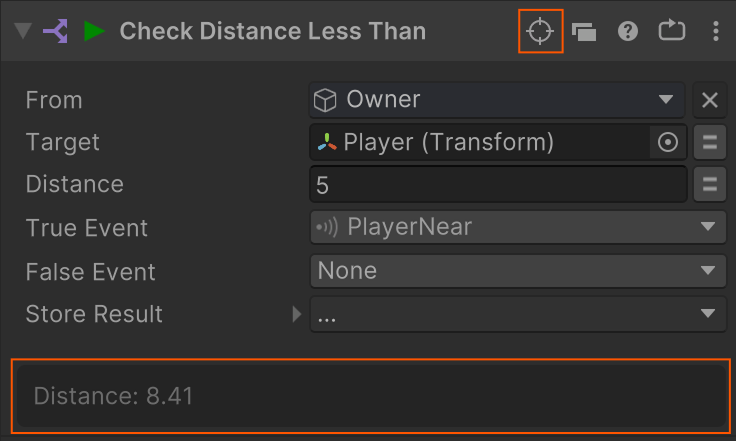
This information shows the action's inner workings so you can tweak the parameters.
Settings Menu
Right-click the action or use the vertical ellipsis menu:
| Command | Description |
|---|---|
| Convert | Replace the action while preserving parameter values. |
| Reset | Restore the action to its default values. |
| Edit Script… | Open the action’s C# file (if available) to inspect or customize it. |
| Find in Action Browser… | Open the Action Browser to get help or find related actions. |
| Add Action | Insert a new action above this one. |
| Add Comment | Add a comment above the action. |
| Add Group | Insert a group header above the action. |