Random Get Point In Rect Ring
Gets a random point inside the rectangular ring between an inner and outer rectangle.
The area between the two rectangles forms a hollow frame, and the random point will lie within that frame, not inside the inner rectangle.
Use it to spawn or place objects around the edges of rectangular regions - such as border effects, camera zones, or hazard perimeters.
Parameters
| Parameter | Description |
|---|---|
| Center | The world-space center of both rectangles. |
| Inner Rect | The inner rectangle that defines the hollow center. No points are placed inside this region. |
| Outer Rect | The outer rectangle that defines the total bounds of the ring. Points are placed within the area between this and the inner rectangle. |
| Store Result | Vector2 variable to store the random world-space point. |
Scene Tools
Use Scene Tools to interactively edit the inner and outer rects:
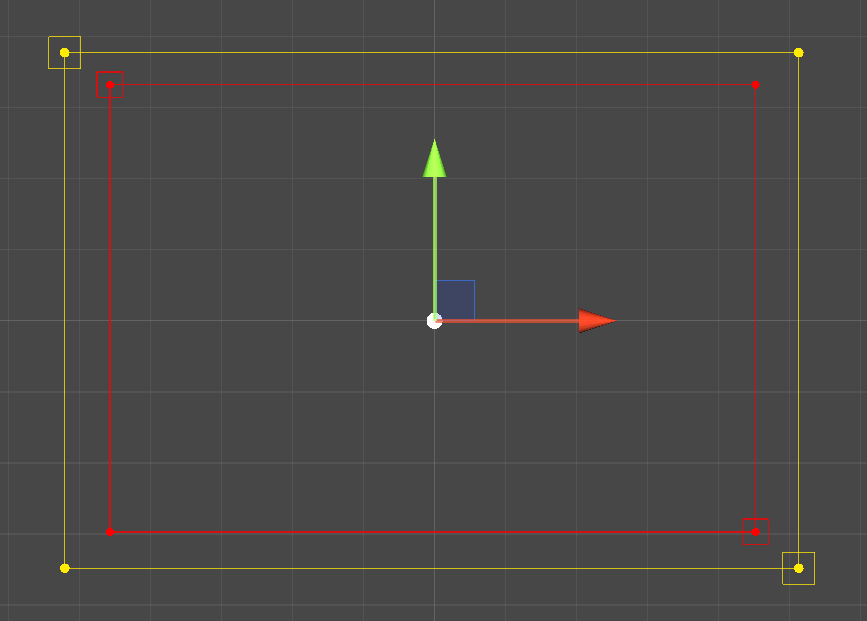
This can save a lot of time when tweaking the area to match areas in the world.
Tips
- Even distribution: Points are chosen proportionally to the area of each rectangular strip, giving an even distribution across the ring.
- Perfect frame: Use identical aspect ratios for Inner Rect and Outer Rect to form a uniform rectangular border.
- Offset placement: Adjust the Center to move the entire sampling region.
Common Pitfalls
- Overlapping rectangles: If the Inner Rect extends outside the Outer Rect, results may appear unpredictable.
- Inverted coordinates: Negative widths or heights can flip the sampling direction; ensure positive size values for clarity.
- Zero-area ring: If the rectangles are identical, all points return the same value (the inner edge).