Build Rect Connectors
Builds connector Rects between input rooms/regions based on a list of connections (index pairs), typically from Build Rect Connections.
For each connection (A,B) the action picks interior anchor points inside both rooms, then creates one of several connector styles:
- Corridor - classic L-shaped, 1–2 thin segments
- Block - a compact chamber that bounds the L path
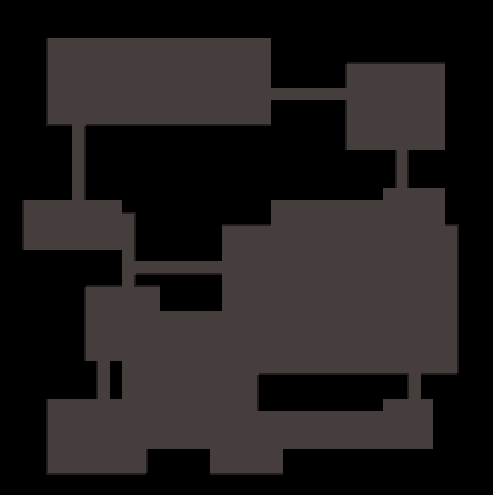
- Merge - a large fused space spanning both rooms
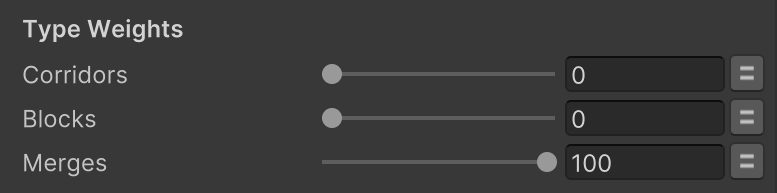
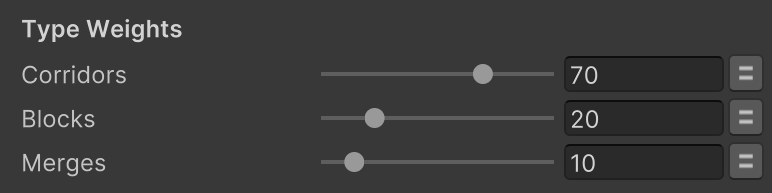
You control how often each style is used via Type Weights:
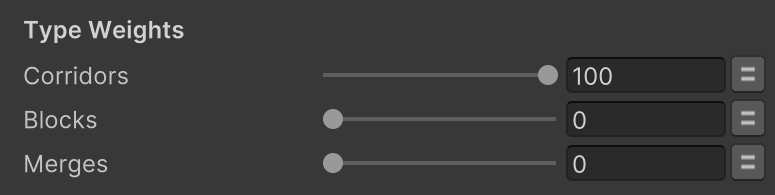
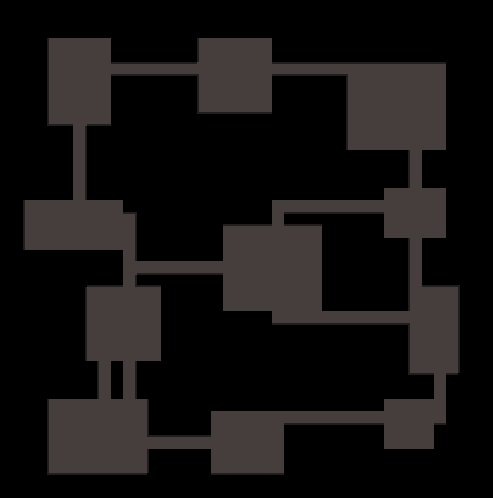
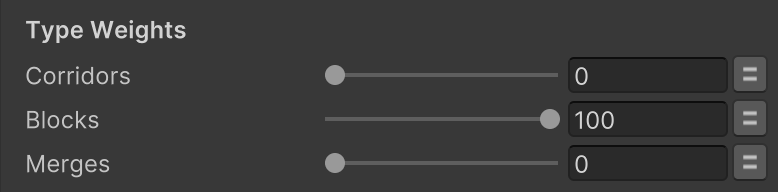
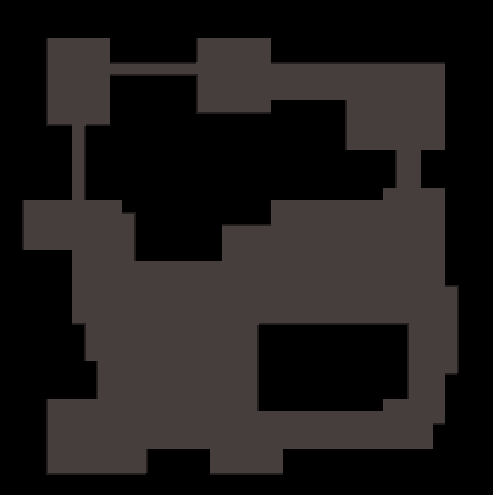

Output is geometry only (lists of Rects).
Use painting actions like Tilemap Fill Rects to draw them.
Inputs
| Field | Description |
|---|---|
| Rects | Source list of Rects (e.g., rooms) in tile/grid units. Typically from Build Random Rects. |
| Rect Connections | List of Vector2Int index pairs (x = A, y = B) to connect. Typically from Build Rect Connections. |
| Corridors | Relative weight for L-shaped thin corridors. 0 disables. |
| Blocks | Relative weight for compact join chambers. 0 disables. |
| Merges | Relative weight for large fused spaces spanning both rooms. 0 disables. |
| Corridor Width | Width of corridors/connectors (tiles). Applies to Corridor and Block styles. |
| Anchor Jitter | Max random offset (tiles) from each room’s center when choosing interior anchors. Clamped inside to avoid walls. 0 uses exact centers. |
| Merge Padding | Extra padding (tiles) around Merge connectors. 0 = tight box around both rooms. |
Outputs
| Field | Description |
|---|---|
| Corridor Rects | Generated Rects for the Corridor style (optional). |
| Block Rects | Generated Rects for the Block style (optional). |
| Merged Rects | Generated Rects for the Merge style (optional). |
| All Rects | All generated connector Rects combined. |
How it works
Style selection
For each connection (A,B), a style is chosen by weighted random using Corridors / Blocks / Merges.
If all weights are 0, nothing is generated.
Anchor points
Each room chooses a safe interior grid cell near its center, with up to Anchor Jitter tiles of random offset, then clamped inside a small margin so anchors don’t hug walls.
Corridor
- Builds a two-leg (dogleg) path between the two anchors.
- Randomly picks which leg comes first (horizontal-then-vertical or vertical-then-horizontal).
- Emits 1–2 thin corridor Rects of Corridor Width.
Block
- Builds the same dogleg as Corridor, then returns a single Rect that bounds both legs (a compact chamber at the join).
Merge
- Builds one large Rect that spans both rooms: the bounding box of A and B, expanded by Merge Padding.
Reproducible results
For repeatable layouts, run Random Init State beforehand with a fixed seed.
Using the same seed and inputs yields the same sequence of rects.
Usage pattern
- Use Build Random Rects to create rooms.
- Use Build Rect Connections to generate connection pairs.
- Pass Rect Connections into this action to carve or link the rooms visually.
Tips & pitfalls
- Corridor Width: Odd widths center nicely on grid paths; even widths may feel offset on single-tile anchors.
- Anchor Jitter: Higher values create more varied paths, but can push connectors closer to room edges (still clamped safely inside).
- Tile alignment: Ensure your room generation and tile painting use the same grid units so connectors line up cleanly.
- Painting: Remember this action only outputs Rect geometry - follow up with a paint/fill action to visualize corridors or merged spaces.