Debug State Time
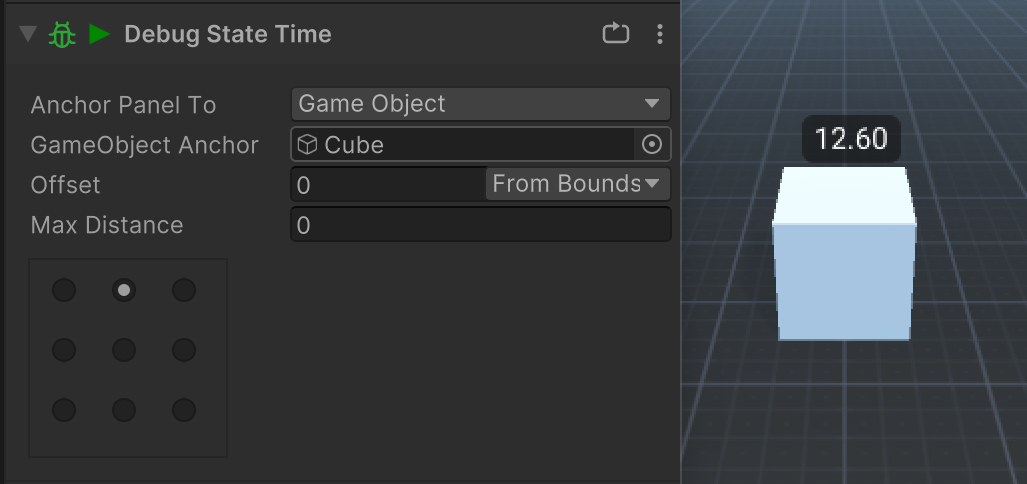
Display the current state's active time on a PlayMaker debug panel.
This action is useful when you want to see a live timer in the Game View without wiring a separate UI.
What It Does
Debug State Time extends PlayMaker's BaseDebugAction.
While the state is active, it updates a label with State.ActiveTime, formatted to two decimal places. The panel is created when the state starts and removed when the state stops.
Parameters
| Parameter | Description |
|---|---|
| Debug Display | Controls where the debug panel is shown. You can anchor it to the screen or a GameObject. |
Example
Use this action to verify how long an AI state is staying active:
- Add
Debug State Timeto the state you want to inspect. - Set the
Debug Displayanchor so the label appears where you want it. - Enter Play Mode and watch the timer update while that state is active.
Notes
- This action only runs in debug builds when PlayMaker debug display is enabled.
- The timer resets each time the FSM enters the state again.
- Use Get Time In State when you need the value for logic instead of display.