Global Event
A Global Event is a named event that can be sent between FSMs.
Global Events are typically used for game-wide signals like Player Died, Do Damage, or Add Points.
Use event actions to broadcast or send global events at runtime.
Creating Global Events
There are a few ways to create Global Events:
- Use in the Global Events Browser.
- Select New Global Event in the Event Selector Popup.
- In the Project Window:
Create > PlayMaker > Global Event
Inspector
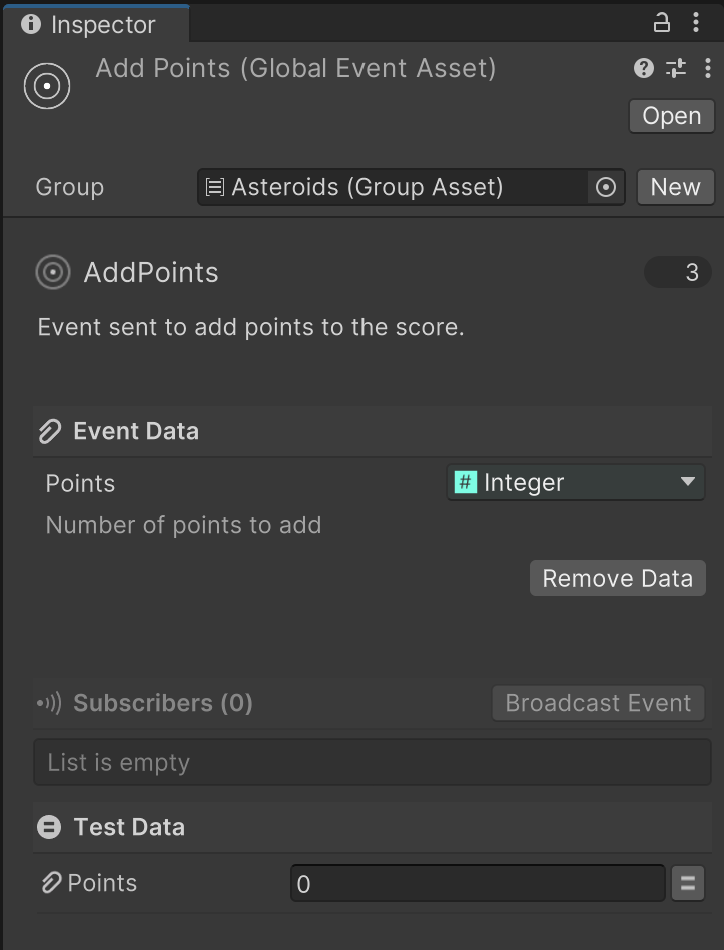
| Control | Description |
|---|---|
| Group | Assign a Group to help organize events in the editor. |
| Icon Style | Choose an icon and color to represent this event. |
| Name | The name of the event. Rename the asset to rename the event. |
| Description | Optional short description shown in tooltips. |
| Used Count | Shows how many FSMs use this event. Click to open a Finder window showing all references. |
| Event Data | Event Data sent with the event. |
| Subscribers | Displays active subscribers while in Play Mode. |
Event Data
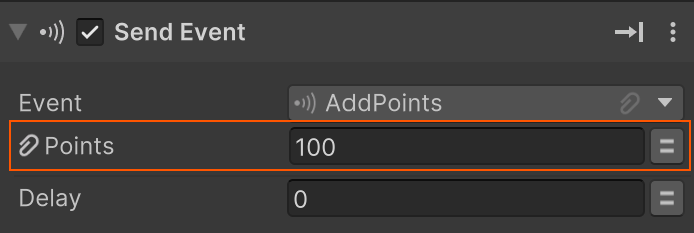
You can attach custom data to a Global Event using the Event Data section of the inspector.
- Set the data in the action that sends the event.
- Access the data in the Transition Inspector of the receiving FSM.
Play Mode
While playing, the Subscribers section shows all FSMs currently subscribed to this event:
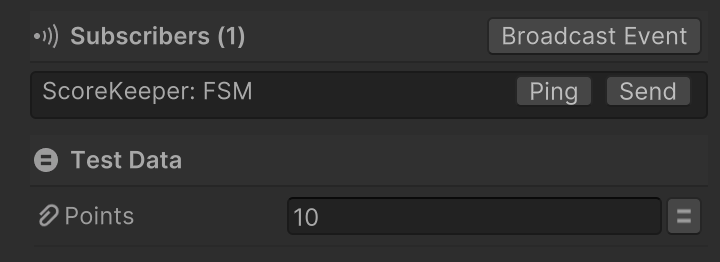
| Control | Description |
|---|---|
| Broadcast Event | Sends the event to all subscribers. |
| Send | Sends the event to a selected subscriber. |
| Ping | Highlights a subscriber in the scene hierarchy. |
| Test Data | Set test values for any defined event data. |
Testing Global Events
Use the Play Mode tools to test and debug your event behavior without replaying the full game loop.
For example:
- Set
PointsTest Data to100, then broadcast theAdd Pointsevent to verify your ScoreKeeper FSM updates correctly. - Set
Pointsto10000and send the event to test whether a bonus life is granted - without needing to simulate gameplay.
This is a powerful way to verify conditions that are hard to trigger during normal testing.