Group Asset
A Group Asset is a container that helps you organize related assets - such as FSM Templates, Global Events, or Global Variables - into logical groups.
Groups make it easier to manage and navigate large projects by letting you quickly browse related assets, regardless of their location in the Project folder structure.
Creating Groups
You can create a Group Asset in a few ways:
- In the Project Window:
Create > PlayMaker > Group - Use New in the Group field of a supported asset:
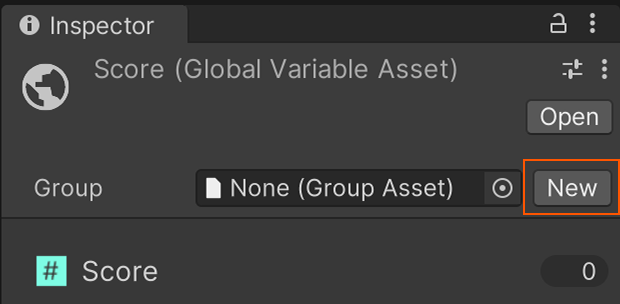
Inspector
The Group Inspector shows all assets currently assigned to the group:
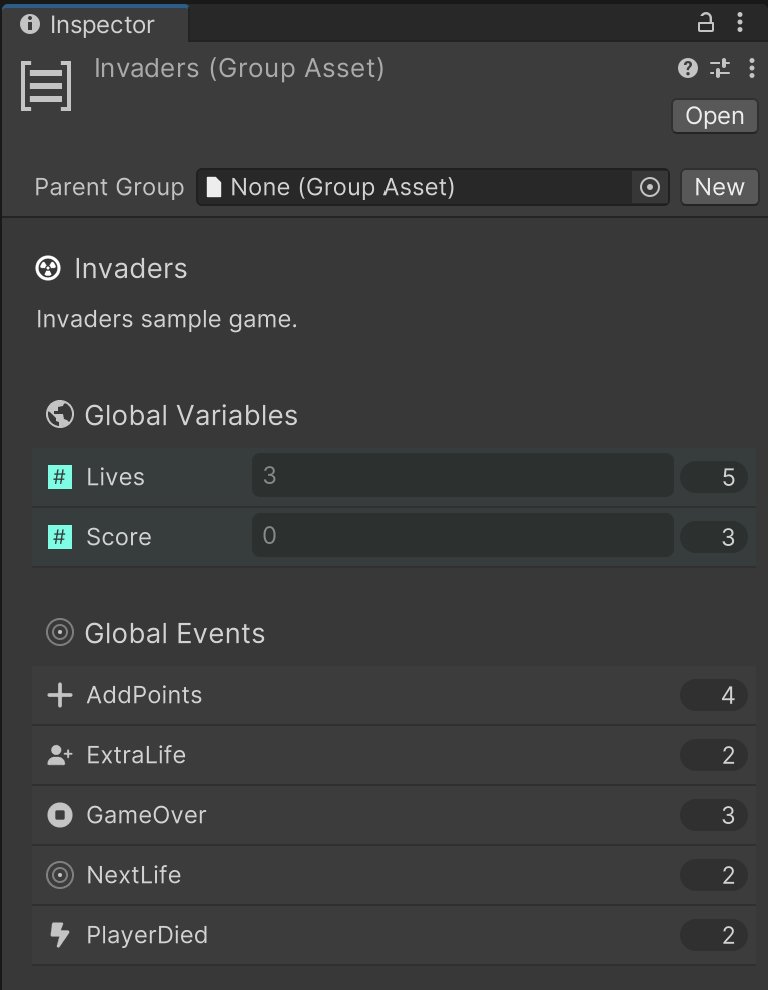
Click an asset to select it in the Project window.
This allows quick navigation between grouped assets.
Keep the Group Inspector Open
Use the lock icon in the top-right of the Inspector to keep the Group visible while exploring its contents.
When to Use
Use Group Assets to:
- Keep related FSM Templates, Events, and Variables together.
- Organize assets by gameplay feature (e.g., UI, Combat, Player).
- Quickly jump between grouped logic without searching manually.
Groups are a powerful organization tool, especially in larger projects.