Data Visualizer
A Data Visualizer Component binds fields from a Data Component to gizmos that update as you edit values.
Adding Data Visualizers
Use Add Component to add a Data Visualizer to a GameObject.
Add Component > PlayMaker > Data > Data Visualizer
Setup:
- Select the Data Component to visualize.
- Select an approprite Gizmo.
- Bind Gizmo properties to Data Fields.
- Edit Data Fields and the Gizmo updates.
Example
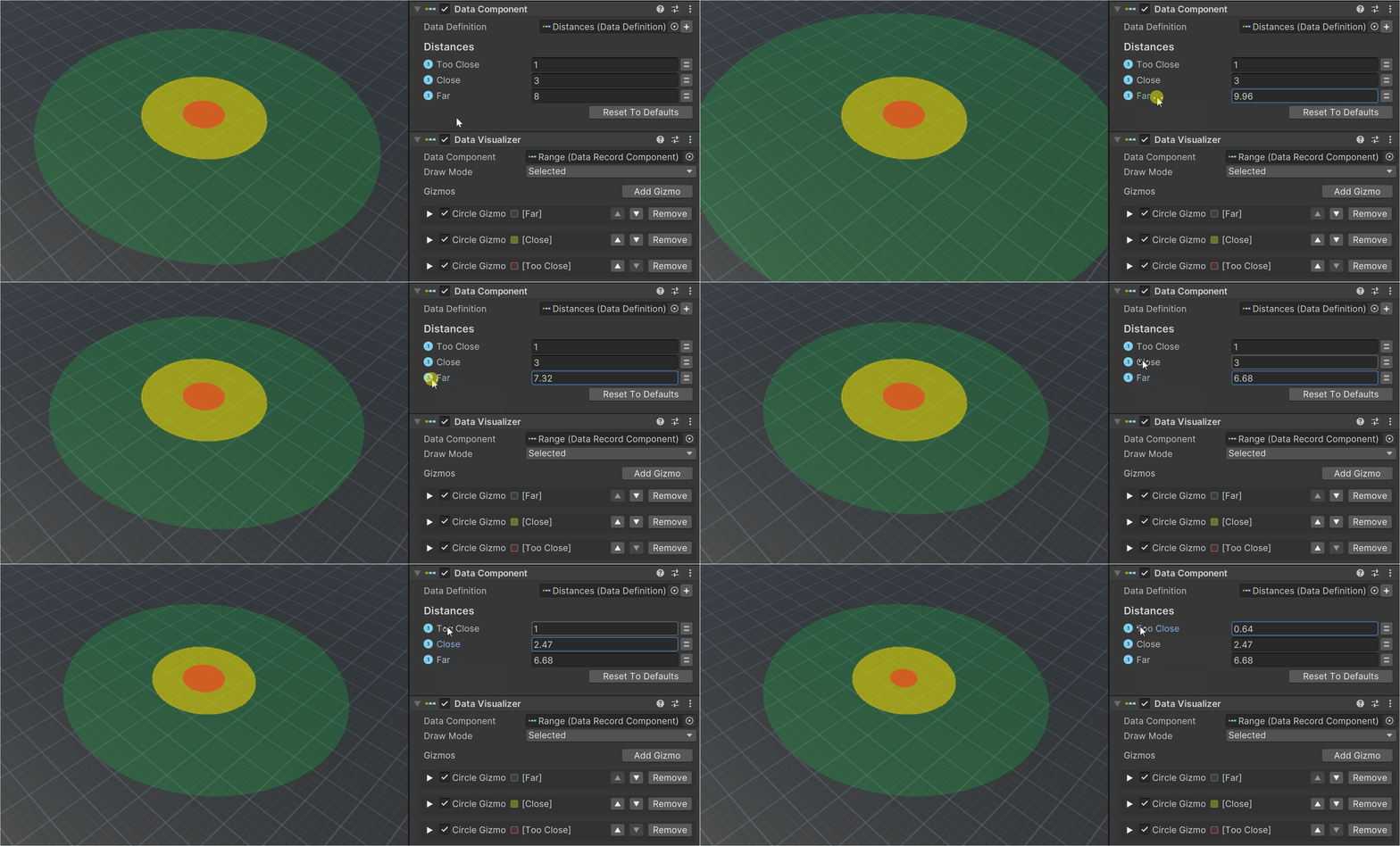
Data Components often set gameplay data like sensor distances.
Data Visualizers let you view and tweak these values in the Game view:
Draw Order
Gizmos are drawn in the order listed.
Use this to control the draw order of overlapping gizmos.