Events
Events trigger transitions between states.
There are 3 main types of events System Events, FSM Events, and Global Events.
System Events
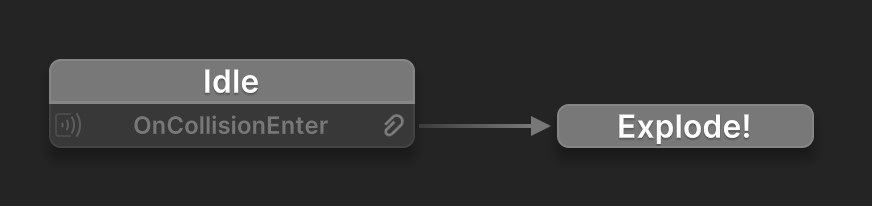
System Events are built-in events sent to the GameObject that owns the FSM. Most are sent by Unity, and some are sent by PlayMaker systems such as the Pause Manager.
The FSM can react to these events:
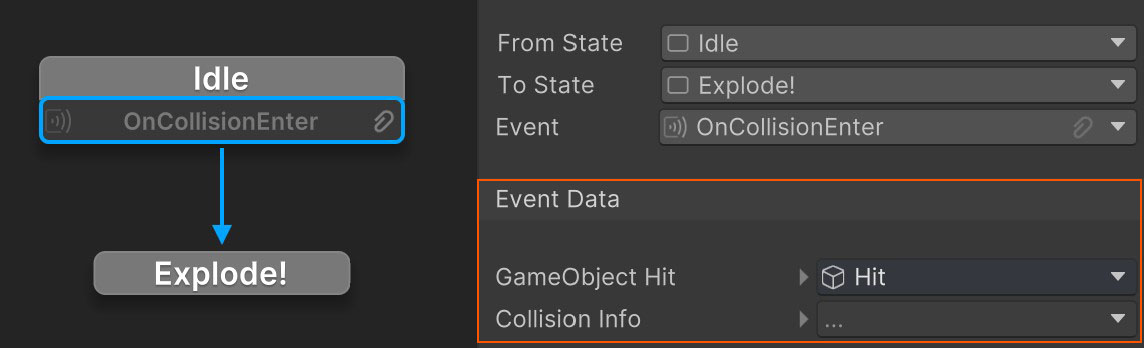
System events often contain extra data. Use the Transition Inspector to read this data:
Finished Event
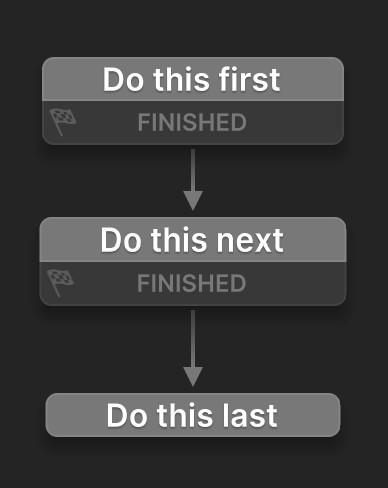
The FINISHED event is a special system event sent by PlayMaker when all the actions on a state have finished running. You can use it to quickly transition to the next state.
FSM Events
FSM Events are custom events that are specific to the behavior you're making.
For example, an Enemy FSM might have events like Player Nearby, Player Dead, Hurt, etc.
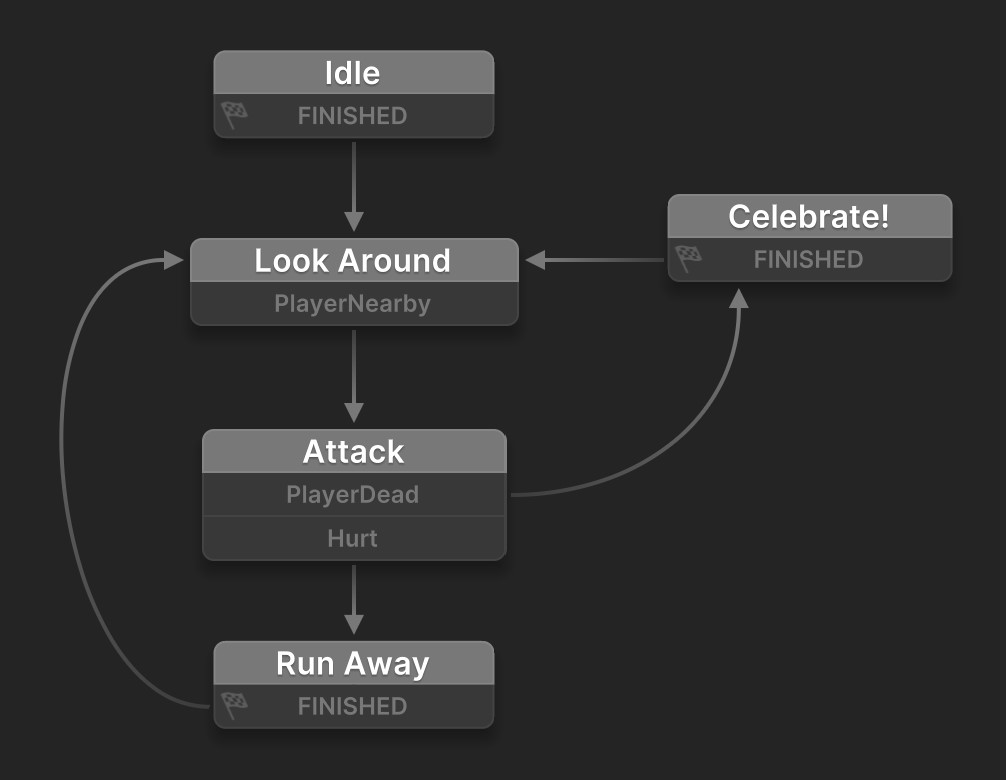
You can make custom events in the Events Inspector and send them using actions.
Global Events
Global Events can be sent between FSMs. They are generally used for game events like Player Died, Do Damage, Add Points
Use event actions like Broadcast Event to send global events.
Use the Global Events Browser to manage global events.
Event Data
Events can also include data.
You can set the type of data to send with your event:
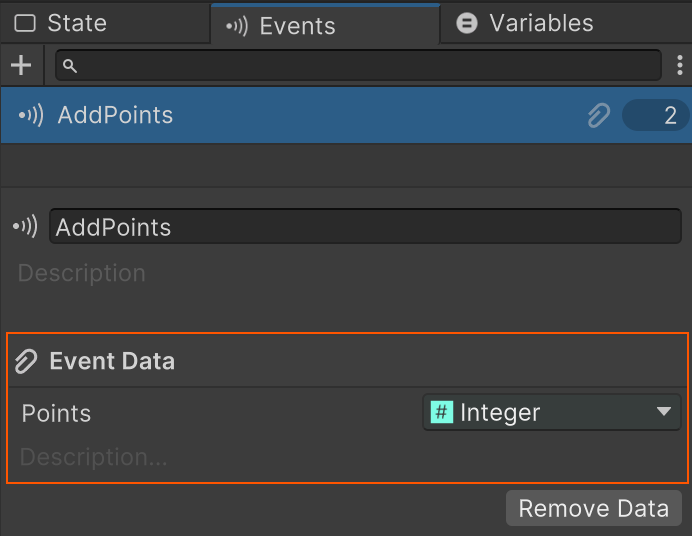
Events that have data show a icon.
Setting Event Data
Set event data in the action that sends the event:
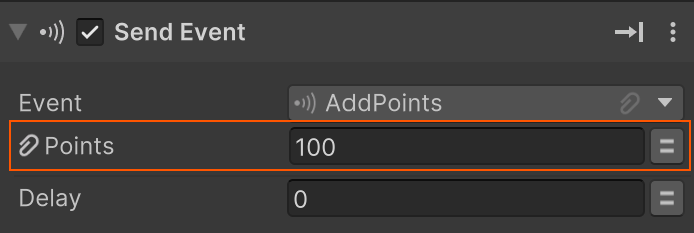
Getting Event Data
Get the event data in the Transition Inspector:
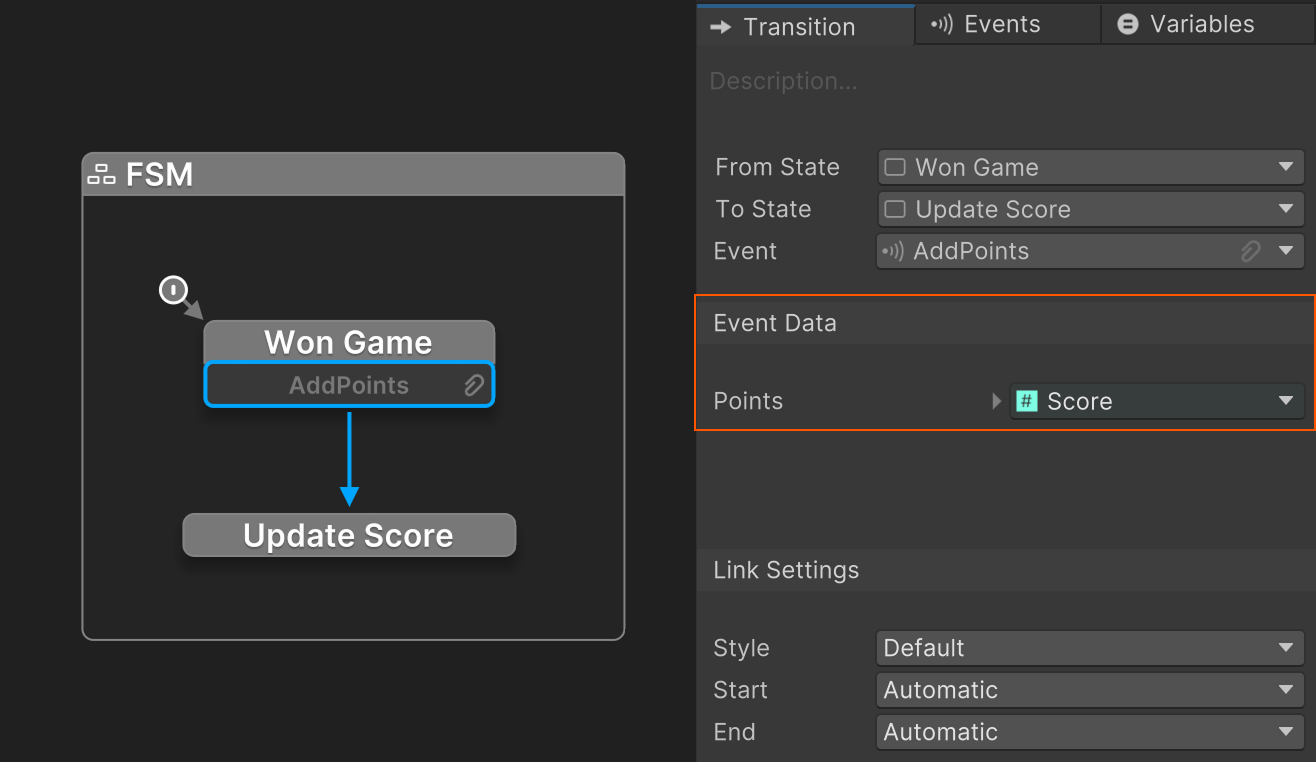
See Also
- Actions - Use events as parameters in FSM logic.
- Events Inspector - Manage events used by an FSM.
- Global Events - Send events between FSMs.