Smoothing Actions
Smoothing actions apply frame-independent smoothing after other actions change a Transform.
They’re meant to run later in the state and (by default) in LateUpdate (Every Frame) so they naturally happen after earlier actions.
Example:
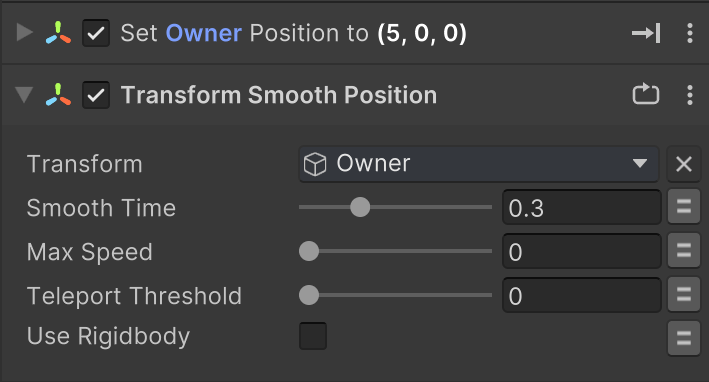
- Transform Set Position – sets a new position
- Smooth Position – gently eases to that position
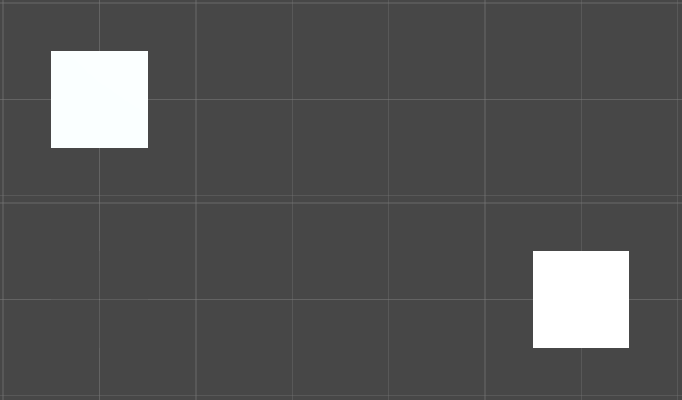
Without Smooth Position:
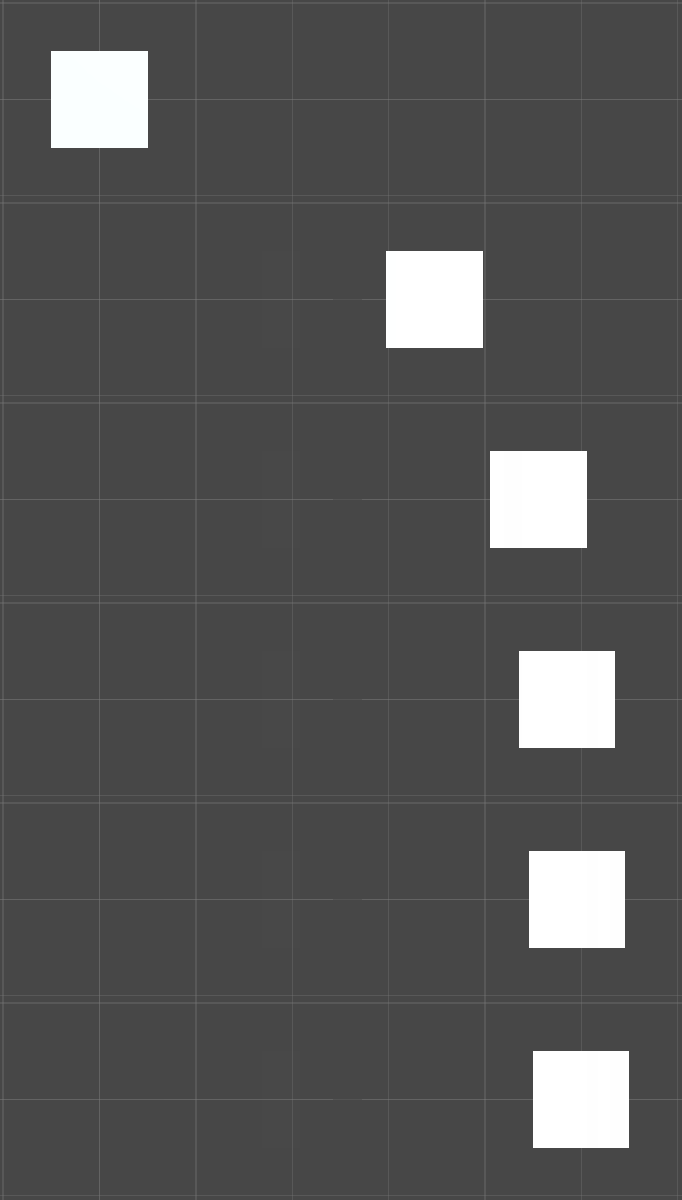
With Smooth Position:
Parameters (shared)
| Parameter | Description |
|---|---|
| Transform | The Transform to smooth. |
| Smooth Time | Time in seconds to reduce the difference by about half. Smaller = snappier. |
| Max Speed | Optional max movement/rotation/scaling speed.0 = uncapped. |
| Teleport Threshold | If the change in one step exceeds this distance/angle, snap instead of smoothing.0 = disabled. |
| Use Rigidbody | Use Rigidbody or Rigidbody2D if present (physics-safe MovePosition/MoveRotation).Hint: set Interpolation = Interpolate on the rigidbody. |
Default update mode:
LateUpdate + EveryFrame(you can override this per action).
Rotation Smoothing (3D & 2D)
Rotation smoothing has one extra toggle for “set once” flows:
| Parameter | Description |
|---|---|
| Lock Target On Start | Locks the target on the first frame (good when the earlier action only sets rotation once). Turn off to follow a value that updates every frame. |
Why this exists: rotations can appear to “stall” if the smoother keeps reading back the value it just wrote. Locking on the first frame guarantees a proper ease from the before rotation to the after rotation.
How to set it up
Action order
- First: actions that set the new value (e.g., Look At, Set Position, Set Scale).
- Then: the matching Smooth action. (It defaults to LateUpdate so it runs after the earlier action.)
Two common patterns
1) Value updates every frame (e.g., constantly aiming at a moving target)
- Keep the setting action on Every Frame.
- Rotation smoothing: turn Lock Target On Start = Off.
- Position/Scale smoothing: no special setting needed.
2) Value set once (e.g., snap on state enter, then ease)
- Run the setting action once (not Every Frame).
- Rotation smoothing: leave Lock Target On Start = On (default).
- Position/Scale: usually fine as is.
Teleport Threshold
- Leave at
0unless you expect rare, big jumps (target swap, camera cut, network correction). - Rough guides: Characters 90–120°, Cameras 120–180°, UI 30–60°; for position, choose meters that fit your world scale.
Max Speed
- Caps movement/turn/scale per second. Works alongside Smooth Time as a hard limit.
Physics tips
- If moving/rotating dynamic bodies, enable Use Rigidbody and set the body’s Interpolation = Interpolate.
Shake Position
TransformShakePosition applies a temporary shake offset to a Transform position, then restores the original position when finished.
| Parameter | Description |
|---|---|
| Transform | Transform to shake. |
| Duration | Shake duration in seconds. |
| Magnitude | Maximum displacement magnitude of the shake. |
| Frequency | Oscillation speed of the shake. |
| Use Local Space | If enabled, shakes localPosition instead of world position. |
| Finished Event | Event sent when shake completes. |
Notes:
- Requires Every Frame updates while active.
- Shake fades out over time and returns to the original position at the end.
Quick recipes
Snap then ease (one-shot look-at)
- Look At (not Every Frame)
- Smooth Rotation (Lock Target On Start = On)
Track a moving target
- Look At (Every Frame)
- Smooth Rotation (Lock Target On Start = Off)
2D sprites
- Use Smooth Rotation 2D (Z only). Same rules as 3D rotation.
Scaling UI or sprites
- Use Smooth Scale (no Rigidbody toggle). Teleport Threshold typically
0.