Replace Tile Pattern
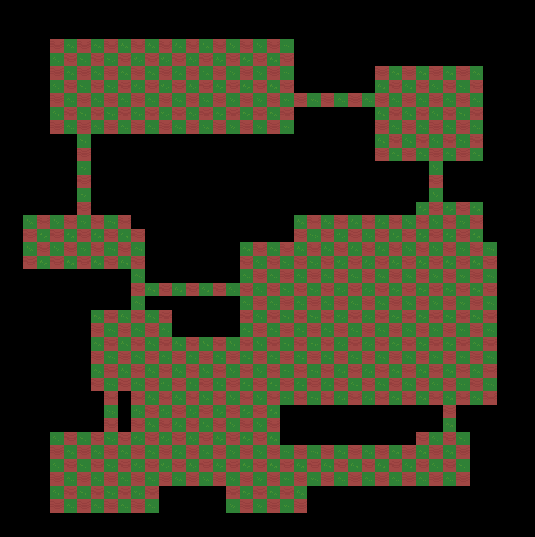
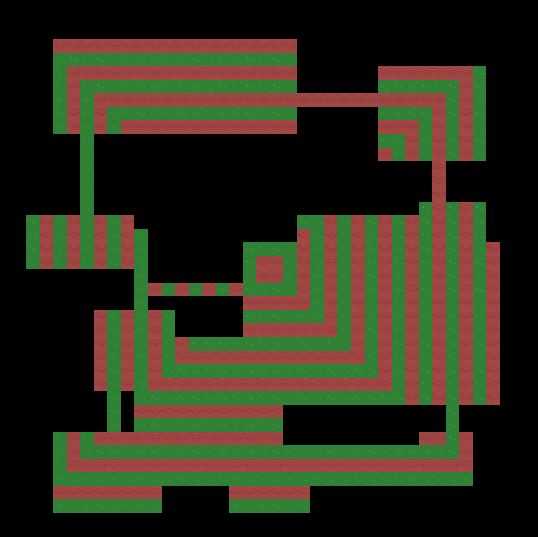
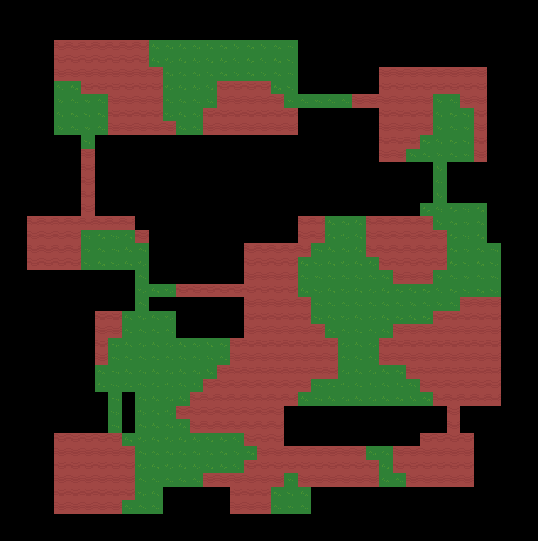
Replaces matching tiles with a procedural pattern such as checkerboards, stripes, or rings.
Ideal for generating patterned floors, alternating wall sections, or stylized dungeon layouts.
| Checker | Square Rings | Noise |
 |
 |
 |
Parameters
| Field | Description |
|---|---|
| Tilemap | The target Tilemap. |
| Bounds | Optional area to process. Defaults to the Tilemap’s full bounds. |
| Match Tile | Only cells containing this tile are replaced. |
| Keep Original | Chance to keep the original tile instead of the new pattern tile. 0 = keep no tiles; 1 = keep all tiles; 0.5 = keep roughly 50% of the tiles. |
| Pattern | Pattern type: • Checker - alternating blocks • Stripe X / Y - vertical / horizontal bands • Diagonal - diagonal alternation • Rings - concentric circles • Diamond Rings - 45° diamond rings • Square Rings - axis-aligned square rings • Noise - Perlin-noise threshold |
| Tile A / Tile B | Tiles used for pattern fill (A = even, B = odd). Either can be empty to clear cells. |
| Cell Size | Size of pattern blocks (e.g., 1 = 1×1, 2 = 2×2). Hidden for Noise. |
| Period | Stripe or ring spacing (cells). Hidden for Noise. |
| Noise Threshold | Perlin-noise cutoff [0-1]. Shown only for Noise. |
| Origin Mode | Pattern alignment: • Global Alignment - anchored to the Tilemap grid for seamless tiling. • Local Alignment - centered in this region. • Custom Origin - explicit world-cell position. |
| Custom Origin | Used when Origin Mode = Custom Origin. |
| Phase Offset | Extra offset added to origin (useful for shifting patterns). |
How it Works
- Finds all cells containing Match Tile.
- Computes pattern coordinates relative to the chosen Origin Mode.
- Evaluates the selected pattern formula (Checker, Stripe, Rings, etc.).
- Applies Tile A or Tile B accordingly in a single SetTiles batch.
For Rings, Diamond Rings, and Square Rings, the pattern is centered automatically based on the chosen Origin Mode (Global, Local, or Custom).
Tips
- Use Global Alignment to keep patterns continuous across adjacent rooms.
- Use Local Alignment to center the pattern inside each region.
- Use Custom Origin for precise manual control or to synchronize multiple maps.
- Either tile can be empty to create cut-out or checker-void patterns.
- You can also match on null to replace empty tiles.
- Combine with Tilemap → Replace Tile for richer variation—e.g., checker pattern first, then randomize each color’s texture.