For Each Data Table Record
Loop through all records in a Data Table, getting each record in turn.
Use this to run actions on each row of a Data Table.
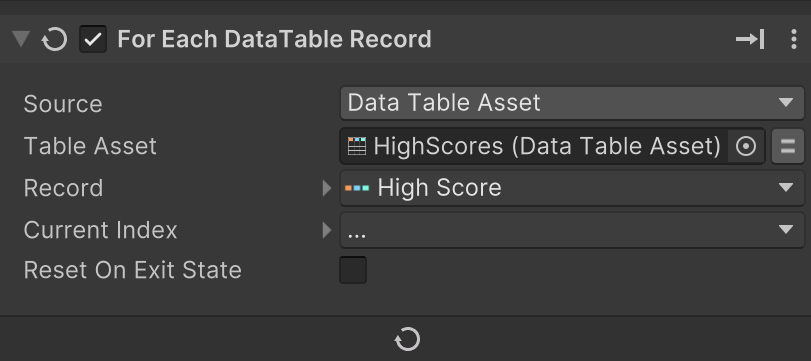
Quick Add Record
Alt-Click the Record dropdown to create a new DataRecord variable.
The new variable will have a DataDefinition that matches the Data Table.
Add actions after this action to run in the loop.
Parameters
| Parameter | Description |
|---|---|
| Data Table Source | Select the source DataTable. Set Source, then assign the matching table, asset, or component field that appears. |
| Record | Store the current row as a DataRecord variable. |
| Current Index | Store the zero-based index of the current row. Incremented by one each time through the loop. |
| Reset On Exit State | Reset the loop when exiting the state. Set this to true to restart the loop every time the state is entered. |
Details
This action resolves the selected Data Table and loops over each row in order.
On each pass, it copies the current row into the Record variable so the rest of the actions in the state can read field values, update UI, run checks, or trigger events based on that record.
If the table or its Data Definition cannot be resolved, the loop will not process any records.
Examples
- Build a shop UI by looping through an item table and updating one row widget per record.
- Check each quest record and skip completed entries before showing active quests.