Data Item Selection
DataItemSelection controls selection visuals for an item.
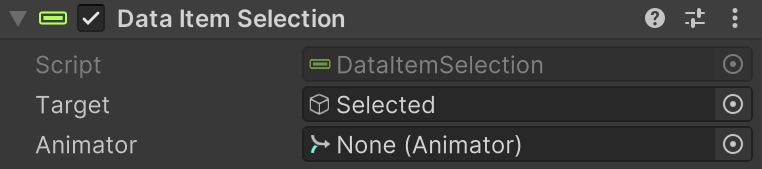
Use it when a host widget supports selected-item feedback.
What It Does
- Shows clear visual feedback for which row is currently selected.
- Supports simple highlight states or animated selection transitions.
- Keeps selection visuals stable when rows are rebuilt, reused, or refreshed.
- Makes table interactions easier to read at a glance.
Setup
- Add DataItemSelection to your UI.
- Assign
Targetto the highlight object to show/hide. - Optional: assign
Animatorthat has a bool parameter namedSelected. - Ensure the highlight object does not block raycasts on row controls.
Inspector Fields
| Field | Description |
|---|---|
| Target | Object used for selection visibility. |
| Animator (optional) | Transition controller using bool parameter Selected. |
Tips
- For simple highlight backgrounds, use
Targetonly (no Animator). - For animated transitions, keep animation logic under
Selectedbool states. - Place highlight visuals behind interactive controls and disable raycast targets on highlight graphics.