Initialization Patterns
Many FSMs need to run setup logic before other actions - for example, loading saved data, resetting variables, or configuring GameObjects.
This guide shows common patterns for safely and predictably initializing FSMs.
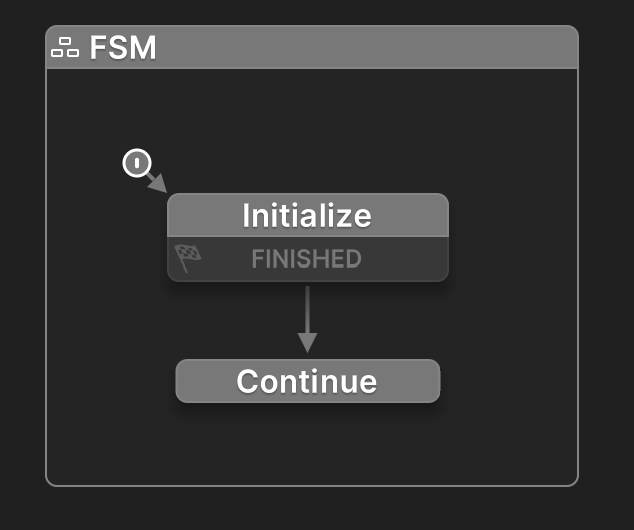
Use the Start State for Setup
Use the Start State to run initialization actions, then send the FINISHED event to move to the next state.
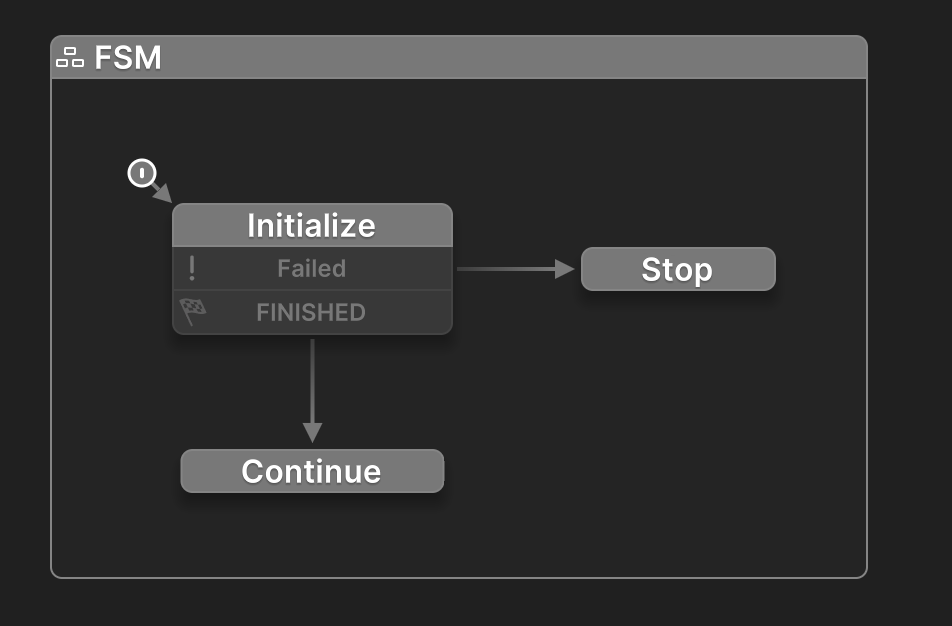
Branch on Initialization Failure
Use a Failed event to handle cases where initialization doesn't succeed.
Add a Global Reset Event
Add a Reset global transition to the Initialize state so you can re-initialize the FSM at any time.
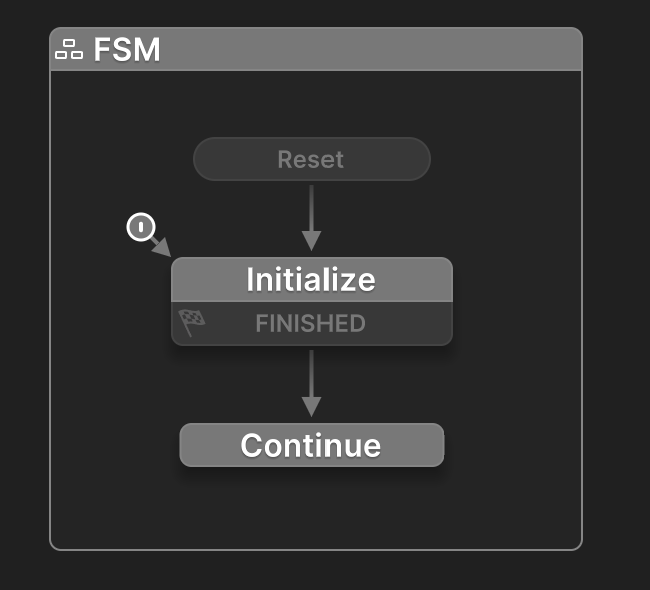
Global Reset Event
You can create a global Reset event and broadcast it to reset multiple FSMs simultaneously.
Coordinate Initialization Order
Sometimes it's important for one FSM to finish initializing before others run.
For example, a "Loader" FSM may load saved data before UI or gameplay FSMs can use it.
Unity Update Order
The update order of MonoBehaviours in Unity is not guaranteed.
If the order of FSM initialization matters, you must explicitly control it.
Using Events
One FSM initializes first, while other FSMs wait in a state.
When initialization is complete, it broadcasts an event (e.g., Initialize) to start the others.
- Works well when FSMs are all active but need to sync.
- Keeps logic decoupled between FSMs.
Using Scene Hierarchy
The first FSM can enable other FSMs using Enable FSM or Activate GameObject once it's finished initializing.
- The other FSMs should start disabled.
- Good for organizing dependent FSMs under one parent object.
- You can activate many behaviors at once by targeting a root GameObject.
Using Scenes
Separate initialization logic into a dedicated scene (e.g., Init or Loader), then load your main scene.
- Works well for managing large projects or when loading assets/configs.
- Prevents main scene FSMs from running before initialization is complete.