Target Managers
Target Managers are components that spawn and position UI indicators for world-space targets
(such as Offscreen Indicators, Target Indicators, Radars, Minimaps, and more).
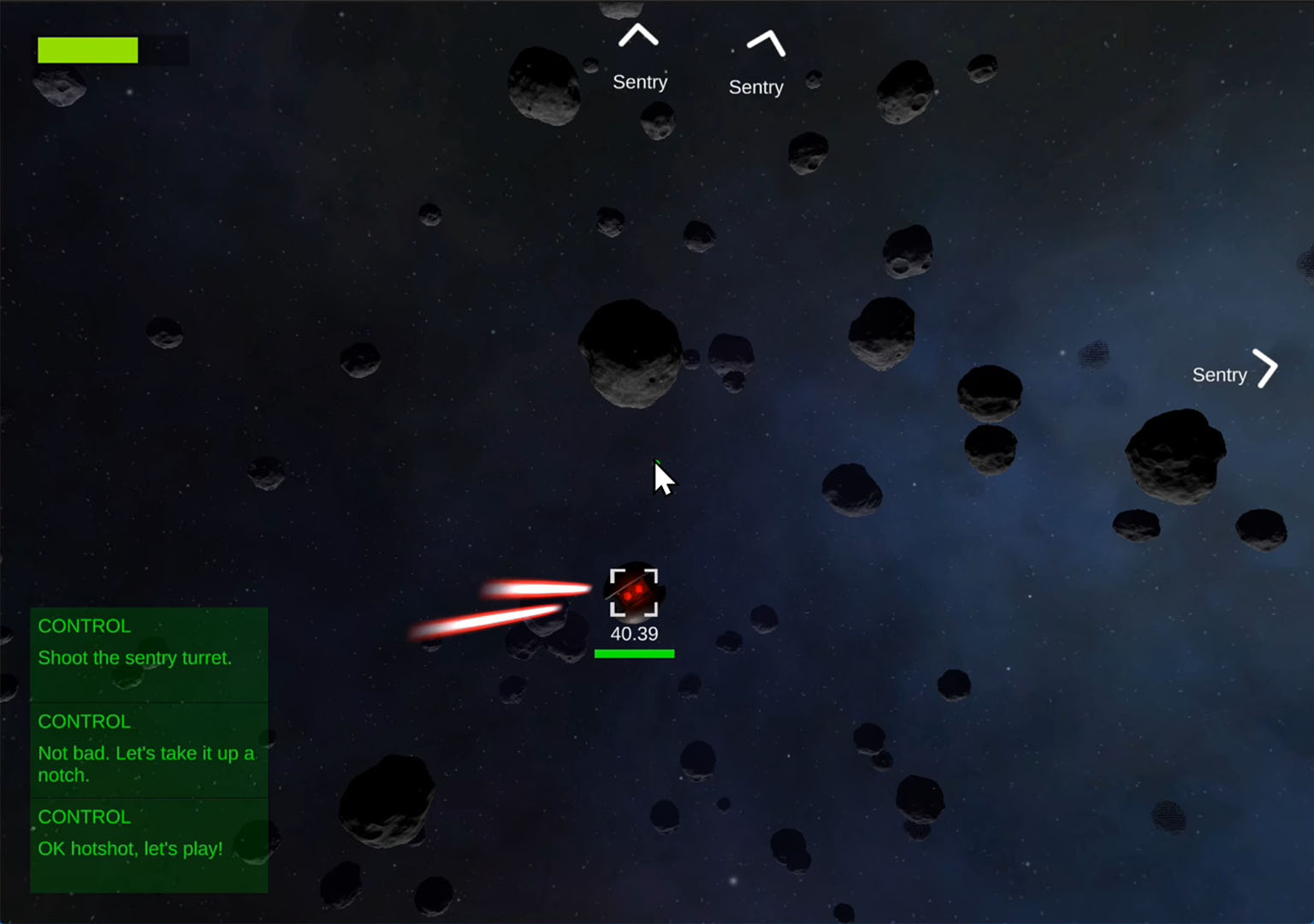
A target is any world object the manager is tracking:
enemies, allies, objectives, loot, waypoints, etc.
Widgets
Creates UI indicators that point toward offscreen targets (e.g., enemies, hit effects).
Attaches UI to a target object (e.g., brackets, nameplates, health bars).
A top-down or side-view radar widget.
Renders one or more Tilemaps into a live minimap with tracked target blips.
Displays a pre-rendered map image or RenderTexture and places tracked targets on top of it.
3D Radar
An Elite-style 3D radar widget. Coming soon...
Target Object Component
Add Component -> PlayMaker -> Widgets -> Target Object
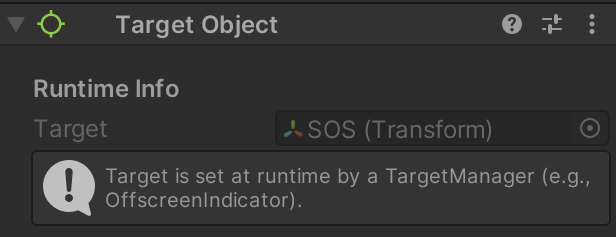
Add a Target Object component to your indicator prefab when you want the spawned UI to know which target it represents and which manager created it.
This is useful for prefab FSMs that need to:
- show target-specific labels or stats
- read the manager camera or indicator panel
- drive custom UI behavior from the tracked target
When a prefab has a Target Object component, the TargetManager initializes it when the prefab is spawned:
- Manager The Target Manager that created the instance.
- Target The Transform being tracked.
- StyleID An optional integer used for styling, filtering, or user logic.
If the prefab does not include a Target Object component, that information is not available through Target Object actions.
FSMs on the indicator prefab can read this information to customize the UI
(e.g., showing health, distance, color-coding by type, enabling effects, etc.).
Target Object Actions
FSMs can use TargetWidget actions to read information from the Target Object component.
Target Manager Actions
FSMs can also query or interact with the TargetManager itself: