Data Item Drag Action
DataItemDragAction turns pointer drag input on an item into drag commands for the parent data widget.
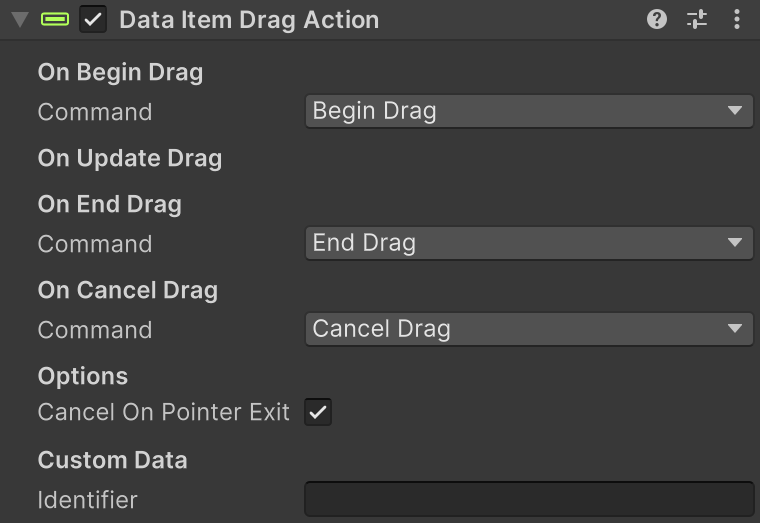
Use it when players should drag rows to reorder them.
What It Does
- Lets players grab a row handle and drag the row.
- Sends drag lifecycle commands so the widget can start, update, end, or cancel a drag.
- Sends matching drag system events to the root item GameObject for FSM event handling.
- Helps make row reordering feel direct and responsive.
- Keeps drag behavior scoped to the row/control the player actually touched.
Setup
- In your UI, choose a drag handle object (often an icon or button area).
- Add Data Item Drag Action to that handle object.
- Set the drag commands (
Begin,Update,End,Cancel) as needed. - Optional: enable or disable
Cancel On Pointer Exitand drag threshold behavior. - Ensure your widget also has a reorder handler such as Data Reorder Dragger.
Inspector Fields
| Field | Description |
|---|---|
| Begin Command | Command sent when drag begins (default BeginDrag). |
| Update Command | Command sent while dragging (default DragUpdate). |
| End Command | Command sent when drag ends (default EndDrag). |
| Cancel Command | Command sent when drag is canceled (default CancelDrag). |
| Cancel On Pointer Exit | Cancels if pointer leaves before drag begins. |
| Disable Drag Threshold | Starts drag immediately instead of waiting for movement threshold. |
| Identifier | Optional control label for row-action filtering. |
Runtime Notes
- Drag only starts when the initial pointer down happened directly on this drag handle.
- If normal end-drag callbacks are missed, pointer-up fallback still sends an end/cancel command.
- Command handling is performed by the parent data widget host.
Tips
- Put this component on a dedicated drag handle so regular row clicks still work normally.
- Keep Disable Drag Threshold on for handle-style dragging, off for swipe-sensitive UI.
- Use consistent Identifier values if FSMs branch on which handle/control started the drag.