Region Node
A parent state can have multiple regions:
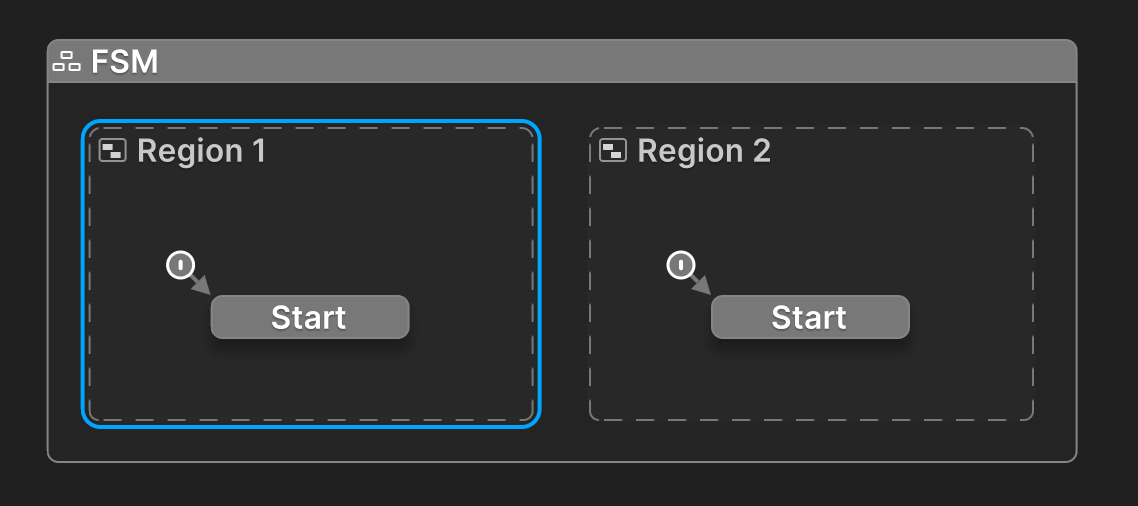
Right Click inside the region to add nodes.
Alt+Drag nodes in and out of the region.
Inspector
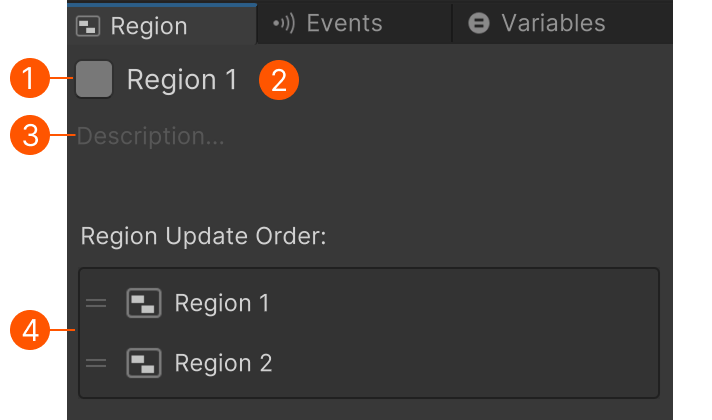
| # | Control | Description |
|---|---|---|
| Icon Style Button | Click to edit the Region Node's color and icon. | |
| Name | Click to edit the Region's name. | |
| Description | Click to edit the markdown description. Use this to help document your project as you build it. |
|
| Update Order | Drag regions to change their update order. |
The description also appears in the Graph View in the top left corner of the Region Node.
Markdown Tip
Use a --- divider to abbreviate the text shown on the canvas.
The node will show all text up to the first divider.
Update Order
Regions are updated in the order shown in the list. Drag regions to change their order.
This can be useful when you want to guarantee that actions in one region run before actions in other regions. E.g., one region might initialize some data used by other regions.