Action List
A State has a list of actions to run while active:
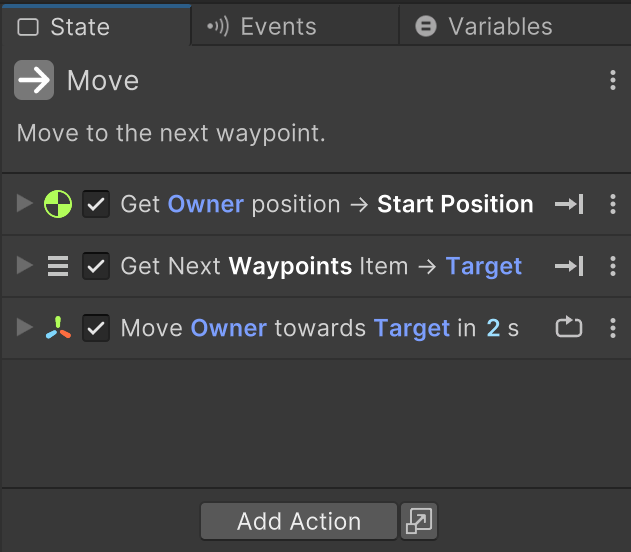
Use Add Action or right click to add actions.
Drag and Drop
Drag selected list items to reorder them.
You can drag and drop from various sources:
- Drag an action from the Action Browser
- Drag an object from the hierarchy and pick an action
- Drag a component from the inspector and pick an action
- Drag a variable from Variables and pick an action
- Drag actions into the Graph View to create a new state
- Drag actions from the action list into another state
TIP: Hover over tabs and states to select them while dragging
Shortcuts
| Shortcut | Action |
|---|---|
| Up Down | Select prev/next action. |
| Ctrl+C | Copy selected actions. |
| Ctrl+X | Cut selected actions. |
| Ctrl+V | Paste copied actions. |
| Ctrl+D | Duplicate selected actions. |
| Alt+Click | Alt click foldout to expand/collapse all actions. |