Regions
This is an advanced topic. You should be familiar with standard FSMs before exploring regions.
An FSM is essentially a "parent state."
Whenever you see "parent state" it also applies to FSMs.
Regions allow states to run multiple behaviors in parallel. Each region behaves like a mini-FSM, active while the parent state is active.
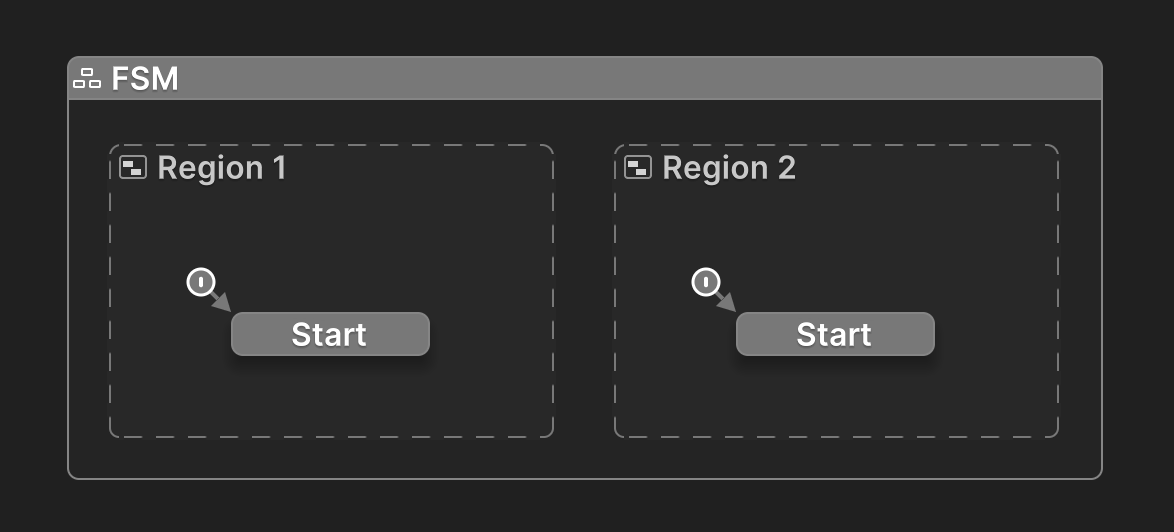
Each region runs in parallel while the FSM or parent state is active.
Why Use Regions
Regions allow you to run multiple behaviors inside a larger behavior.
They help you model parallel logic within a single FSM. Instead of creating multiple FSMs or complex interdependent states, regions let you coordinate related processes that should run side-by-side - like timers, animations, input monitoring, or AI decision-making.
For example, you could use regions to:
- Run an AI behavior and a patrol movement loop at the same time.
- Handle visual effects while waiting for a cutscene timer.
- Monitor player input while managing a transition animation.
This makes your FSMs more readable and modular - each region focuses on a single responsibility, while the parent state defines how and when those responsibilities begin and end.
Multiple FSMs
There are times when using multiple FSMs makes more sense than using regions.
See the Parallel Behaviors Guide to learn when and why.
Transitions From Regions
You can create transitions from inside a region to any other state in the same region hierarchy.
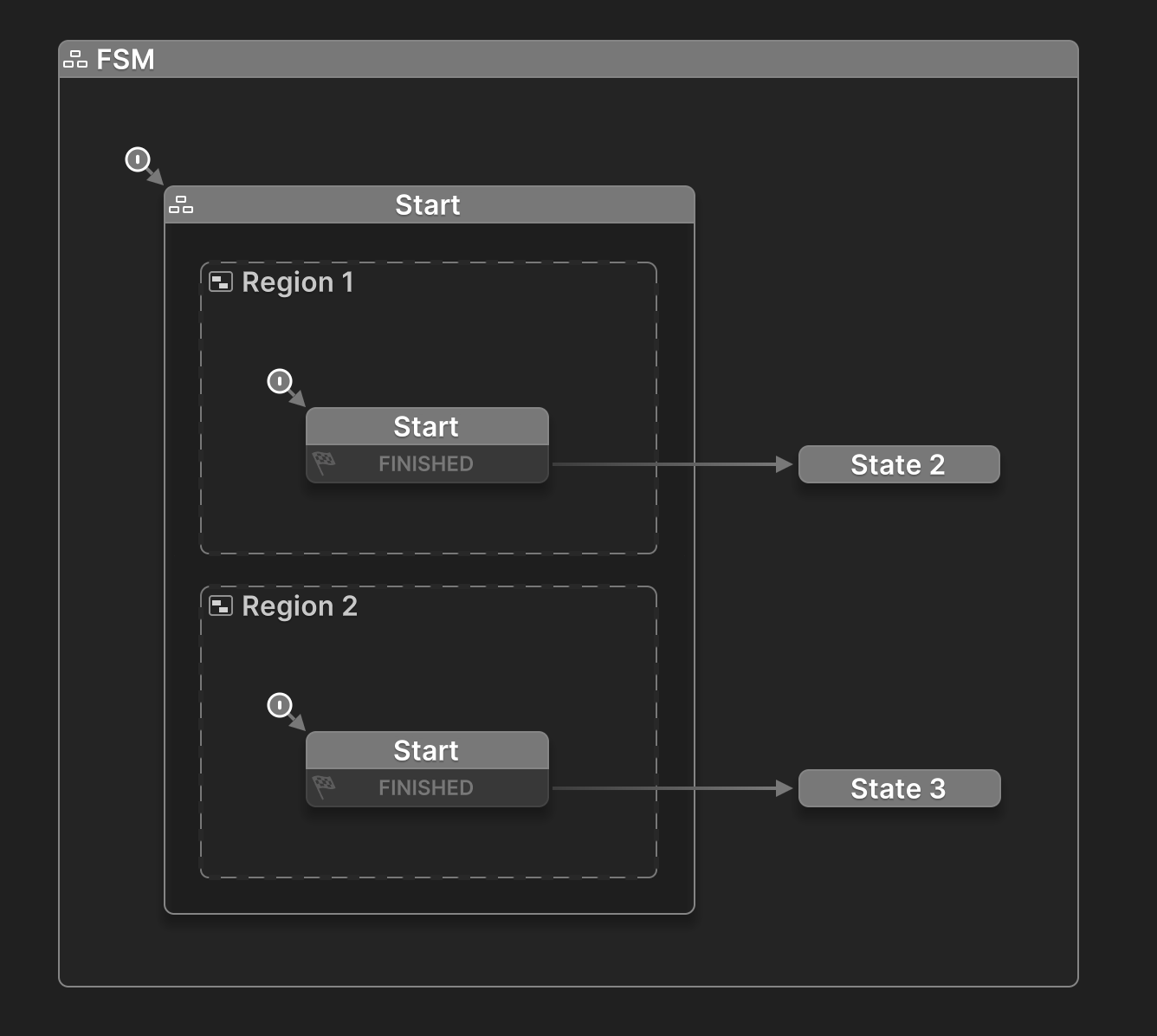
In this setup, both regions run at the same time.
If Region 1 finishes first, the FSM transitions to State 2.
If Region 2 finishes first, it transitions to State 3.
When the Start state exits, both regions stop running.
Waiting For Regions To Finish
If you want to wait for both regions to finish, use a global transition:
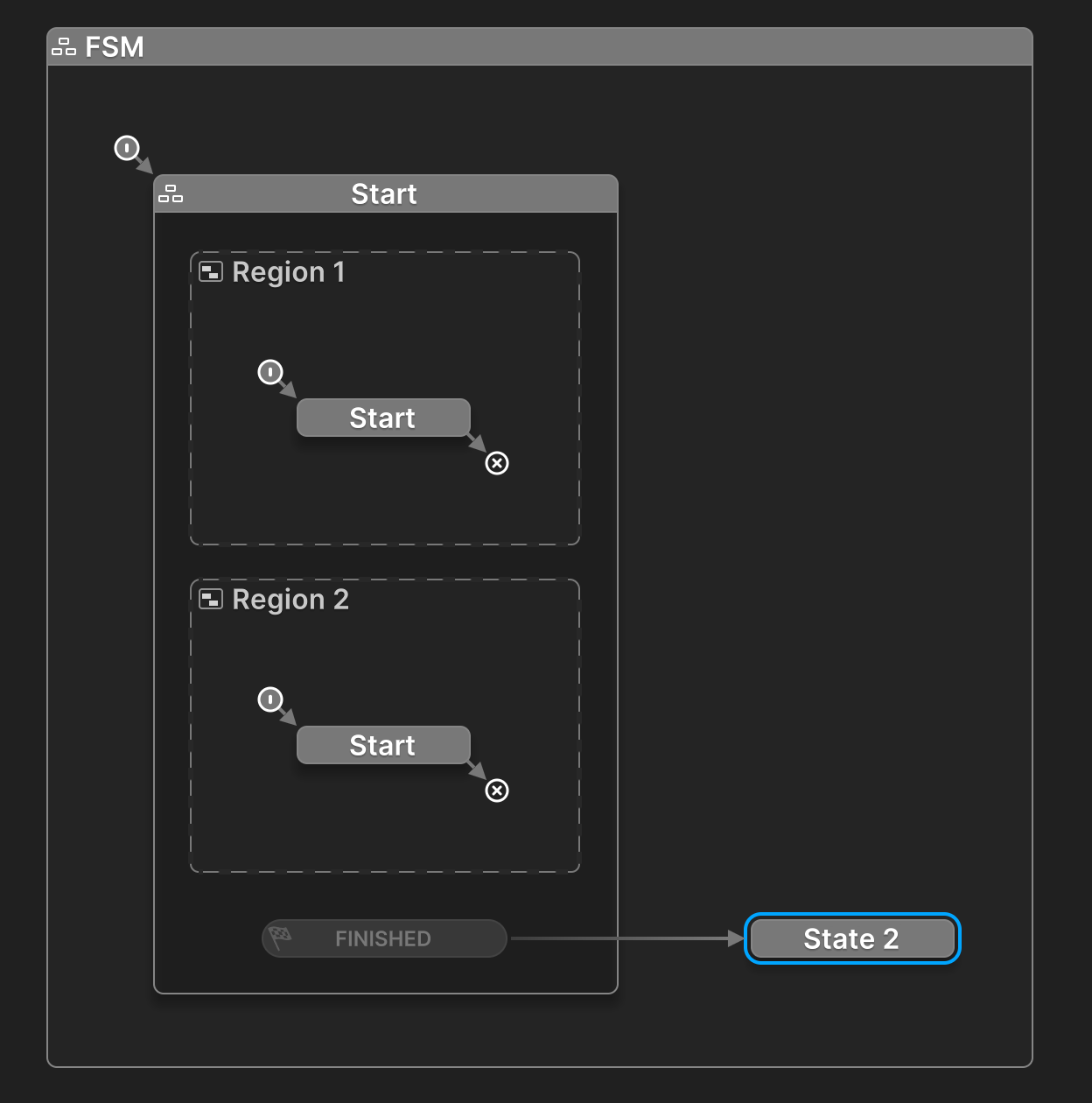
Regions Must End
Each region must reach an End State in order to finish.
Without this, the parent state may never detect completion.
Summary
With regions, a parent state can:
- Run multiple behaviors while active.
- Run multiple behaviors and wait for them all to finish.
- Run multiple behaviors any of which can send an event to transition to another state.
When to Use Regions
- You need behaviors that run at the same time (e.g., animation + AI logic).
- You want a single state to manage multiple outcomes.
- You want to wait for several things to finish before continuing.
See Also
- Sub States - Brush up on parent and child states.
- Parallel Behaviors - Strategies to build parallel behaviors.
- Events - Trigger transitions between states and FSMs.