Sub States
This is an advanced topic. You should be familiar with standard FSMs before exploring sub states.
Sub states let you nest states inside a parent state to organize complex behaviors.
They run only while the parent state is active, and are most useful when you want to:
- Define a nested behavior that only runs while a parent state is active
- Manage transitions at the parent level instead of wiring every child state directly
- Reduce duplicated actions by running shared logic once in the parent
They make large FSMs easier to structure, manage, and understand.
How Sub States Work
You can add sub states to any state:
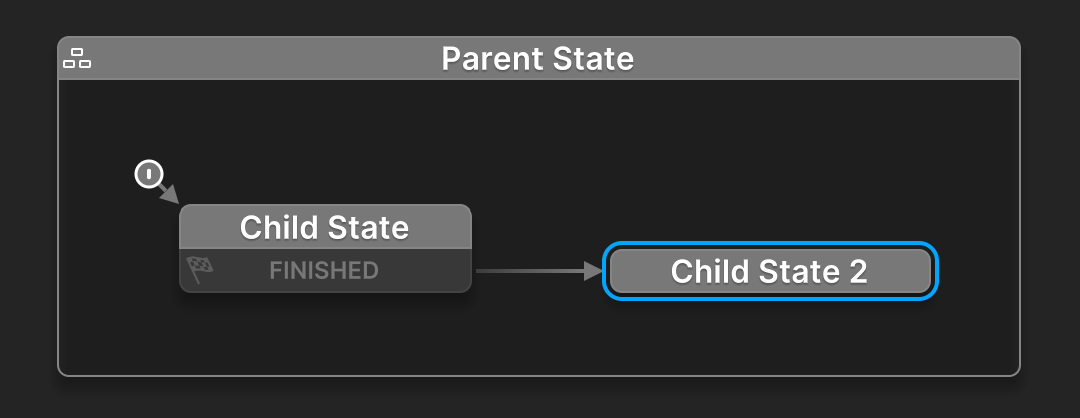
When the parent state becomes active, it starts running its own actions.
Then the sub state's Start State is entered automatically.
The parent state enters first, followed by its sub state.
Character Behavior Example
Imagine you have a character with Stand, Sit, Sleep, Walk, and Run states.
You might create transitions like this:
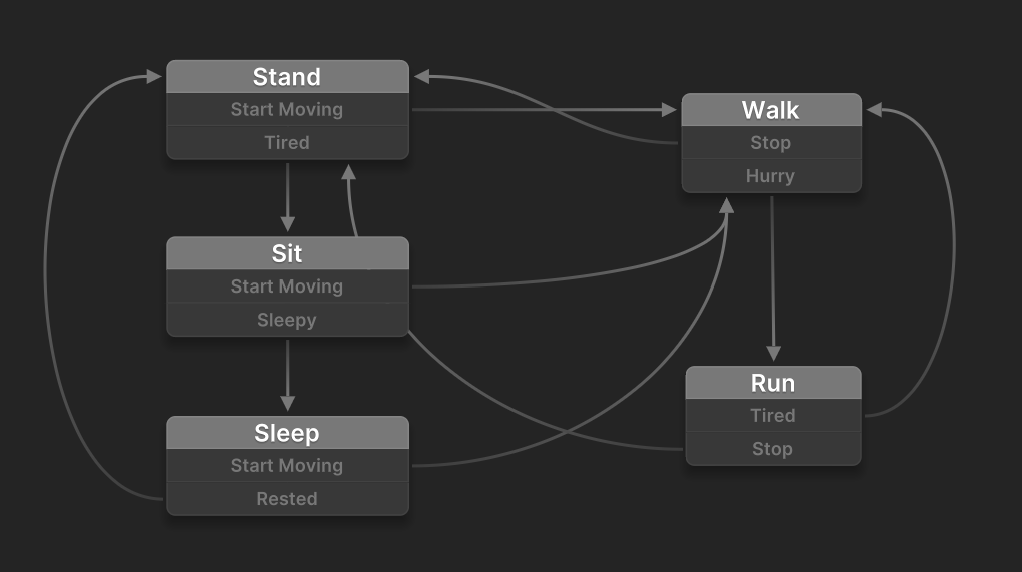
Notice the duplicate Start Moving and Stop transitions. Every new state in this behavior needs the same transitions, so the graph quickly becomes hard to manage.
With sub states, you can group these states under 2 parent states:
IdlehasStand,Sit, andSleepMovehasWalk, andRun
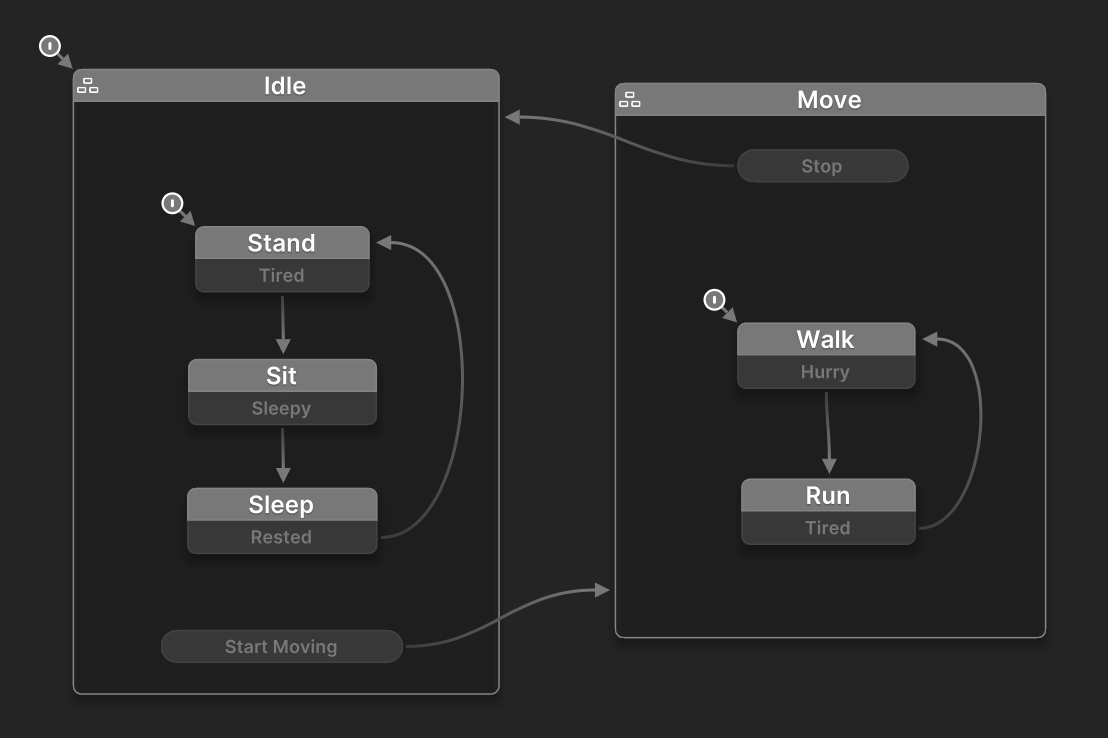
Now Start Moving and Stop are handled by the parent states, instead of being duplicated on sub states. Adding new states is much easier: simply decide if the new state belongs inside Idle or Move.
If you need a new parent state like Attack, you only need to manage transitions from Idle and Move, not every child state.
Parent State Actions
Parent states can also run actions shared by multiple child states.
In this example, both Walk and Run might need player input. Without a parent state, both would need the same actions. With sub states, Move can run them once in one place.
So sub states help in three useful ways: they let you nest a behavior inside a state, simplify transitions, and reduce repeated actions.
Transitions
You can define transitions from a sub state to any other state in the hierarchy.
Transition From Sub States
Local transitions go from a specific sub state to another state.
For example:
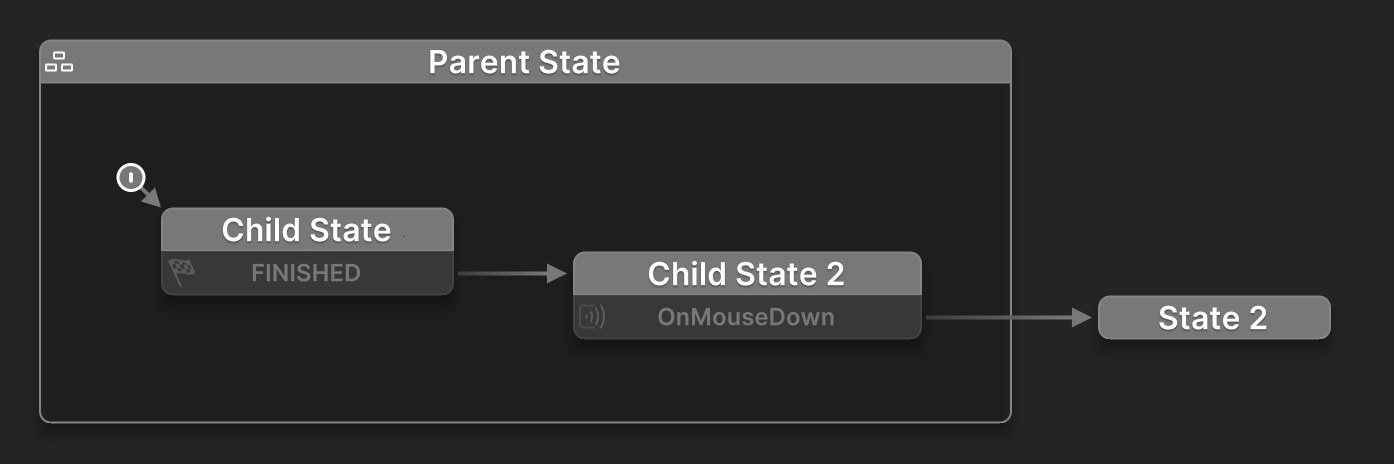
Parent State transitions to State 2 when Child State 2 gets OnMouseDown.
Global Transitions From Sub States
Global transitions go from any sub state to another state.
For example:
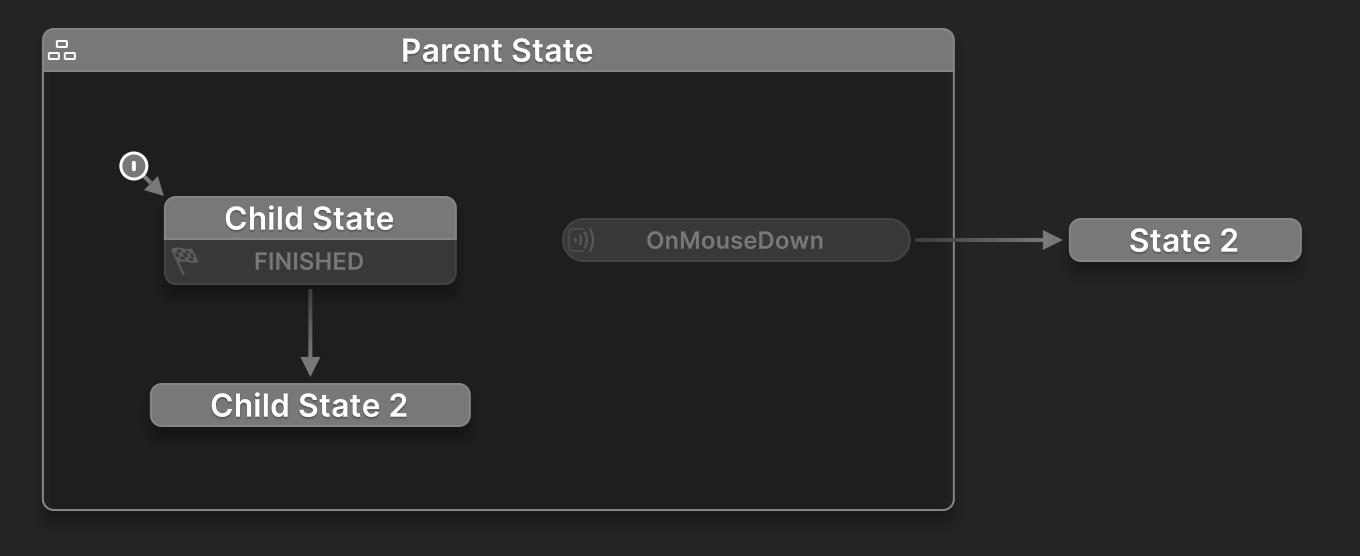
Clicking the mouse while Parent State is active (regardless of which sub state is running) triggers a transition to State 2.
End States
A sub state can be an End State, signaling that its work is done.
When a sub state reaches an End State, the parent is notified. If the parent has also finished its own actions, the FSM sends a FINISHED event.
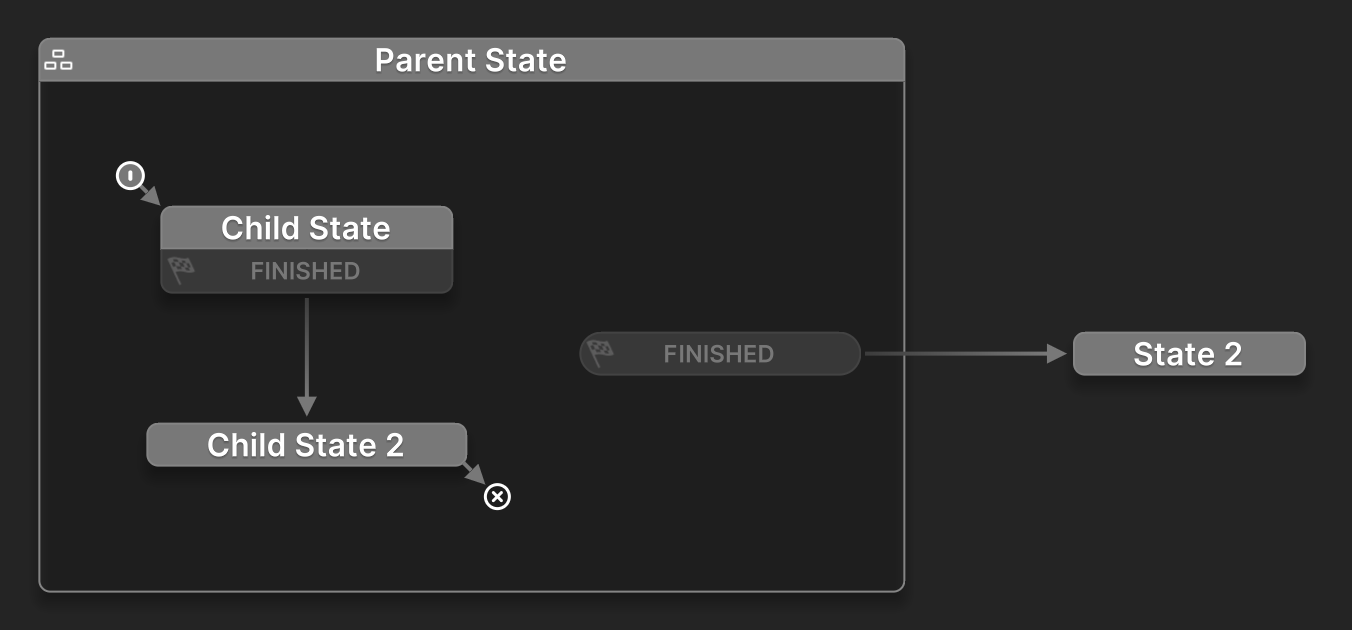
The FINISHED is sent only when:
- The sub state reaches an End State, and
- The parent state has finished its own actions
This is different from triggering a transition when a specific sub state finishes:
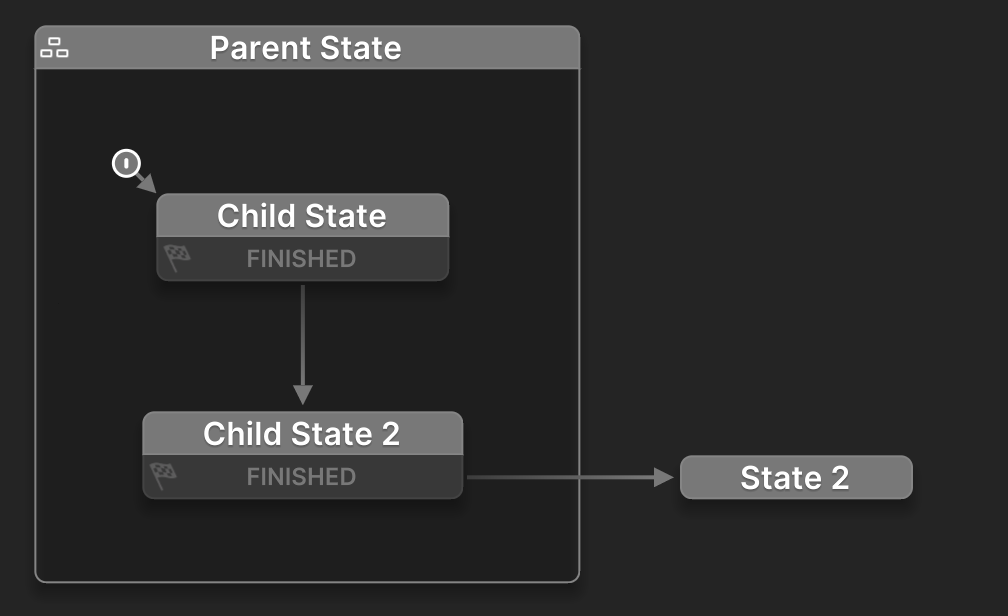
In this case, the child state finishing triggers the transition.
When to Use Sub States
Use sub states when you want to:
- Organize related logic under a single parent state
- Define a branching behavior that only runs inside one state
- Manage transitions at the parent level
- Reduce duplicated actions across related states
- Keep the graph cleaner and easier to follow