Meter Label
A Meter Label formats and displays a numeric value (and optionally a max value) as text.
This is ideal for:
- Health readouts (e.g., "85 / 100")
- Percentage labels (e.g., "42%")
- Normalized values (e.g., "0.42")
- Any UI text that mirrors a numeric variable
Widget setup:
- Add and configure a Meter Label component.
- Update the label with a Meter Label Update action.
- Optionally set range and value together with Meter Label Set Values.
Meter Label Component
Add Component -> PlayMaker -> Widgets -> Meter Label
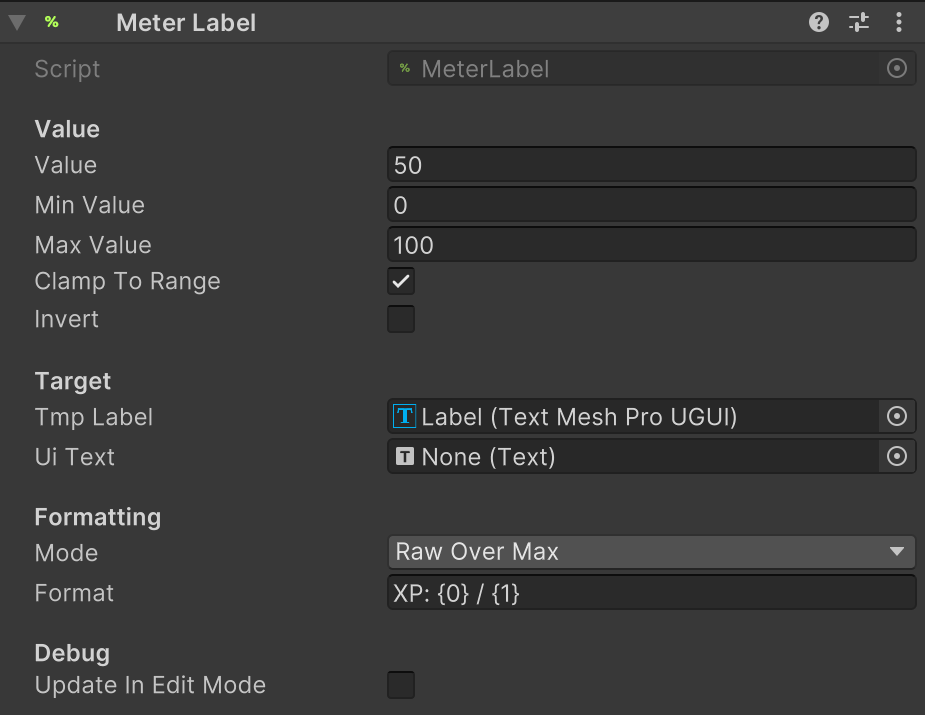
Parameters
| Field | Description |
|---|---|
| Value | Current value shown by the label. Used for preview in edit mode. |
| Min Value | Minimum raw value (maps to normalized = 0). |
| Max Value | Maximum raw value (maps to normalized = 1). |
| Clamp To Range | Ensures values stay within Min/Max before normalizing. |
| Invert | Reverses normalized and percentage values (1 - t). |
| TMP Label | Optional reference to a TextMeshProUGUI component (preferred). |
| UI Text | Optional reference to a legacy Text component. |
| Mode | How to interpret the value: Raw, Normalized (0-1), Percentage, Raw/Max. |
| Format | Format string. Use {0} for the value and {1} for Max (Raw/Max mode). |
| Update In Edit Mode | When enabled, preview the formatted label in the editor. |
Notes:
- The component automatically normalizes values based on Min/Max.
- If TMP Label is set, it is preferred over legacy Text.
Actions
Meter Label uses these actions:
Tips
- Use Mode: Percentage with Format like
{0:0}%for simple percent labels. - Use Mode: RawOverMax with Format like
{0:0}/{1:0}for health/energy bars. - Adjust Min Value / Max Value to control normalization and percentage output.
- Enable Update In Edit Mode while styling UI for live previews.