Tiled Image Meter
A Tiled Image Meter displays a value using a repeating (tiled) sprite.
This is ideal for:
- Hearts / Lives
- Ammo Pips
- Inventory Slots
- Energy / Stamina Segments
- Any discrete icon-based meter
Widget setup:
- Add and configure a Tiled Image Meter component.
- Update the meter with a Tiled Image Meter Update action.
- Optionally set value, value-per-icon, and max-icons together with Tiled Image Meter Set Values.
Tiled Image Meter Component
Add Component -> PlayMaker -> Widgets -> Tiled Image Meter
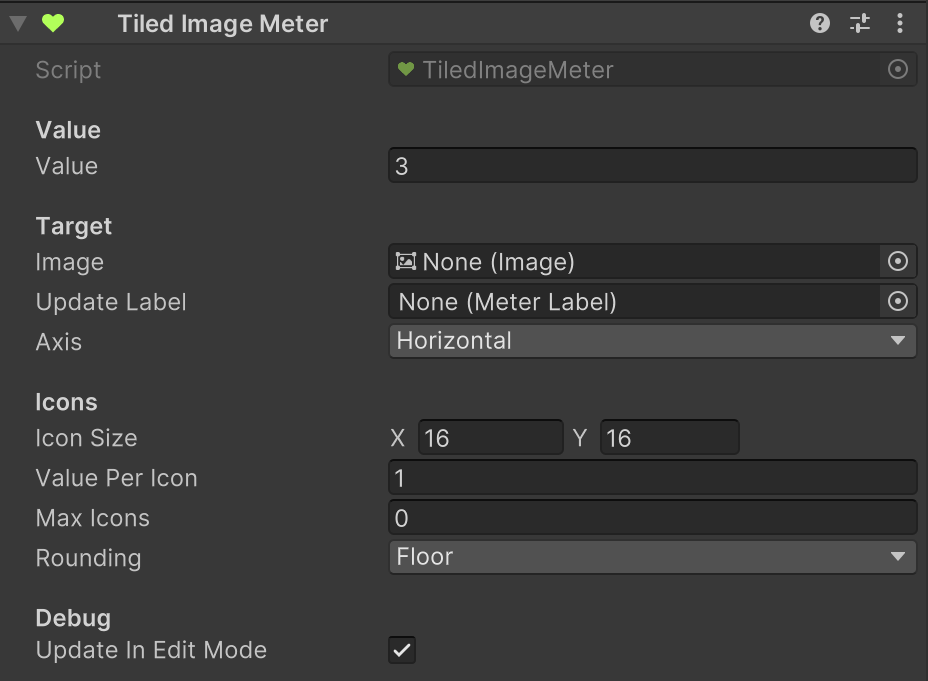
Parameters
| Field | Description |
|---|---|
| Value | Current value shown by the meter. In edit mode, this is used for preview. |
| Image | The Image to resize. Must use Tiled type. |
| Axis | Direction the meter grows: Horizontal or Vertical. |
| Update Label | An optional Meter Label to update when the meter changeds. |
| Icon Size | Size (UI units / pixels) of one icon tile. |
| Value Per Icon | How much one icon represents (e.g., 1 HP per heart, 0.5 for half-hearts). |
| Max Icons | Maximum icons to show (0 = unlimited). |
| Rounding | How partial icon counts are handled: Floor, Ceil, or Round. |
| Update In Edit Mode | When enabled, the meter updates automatically in the editor for previewing. |
Notes:
- Negative values are automatically clamped to zero.
Actions
Tiled Image Meter uses these actions:
Tips
- Match Icon Size to the sprite's pixel size for crisp results.
- Use fractional Value Per Icon (e.g., 0.5) for half-hearts or partial pips.
- Use Max Icons to cap display (e.g., max 5 hearts).
- Enable Update In Edit Mode while adjusting UI layout for live preview.