Hello World
PlayMaker → Addons → Getting Started
Simple examples showing how to set UI Text to say "Hello World."
01 Hello World
The most direct way, using a Set Text action:
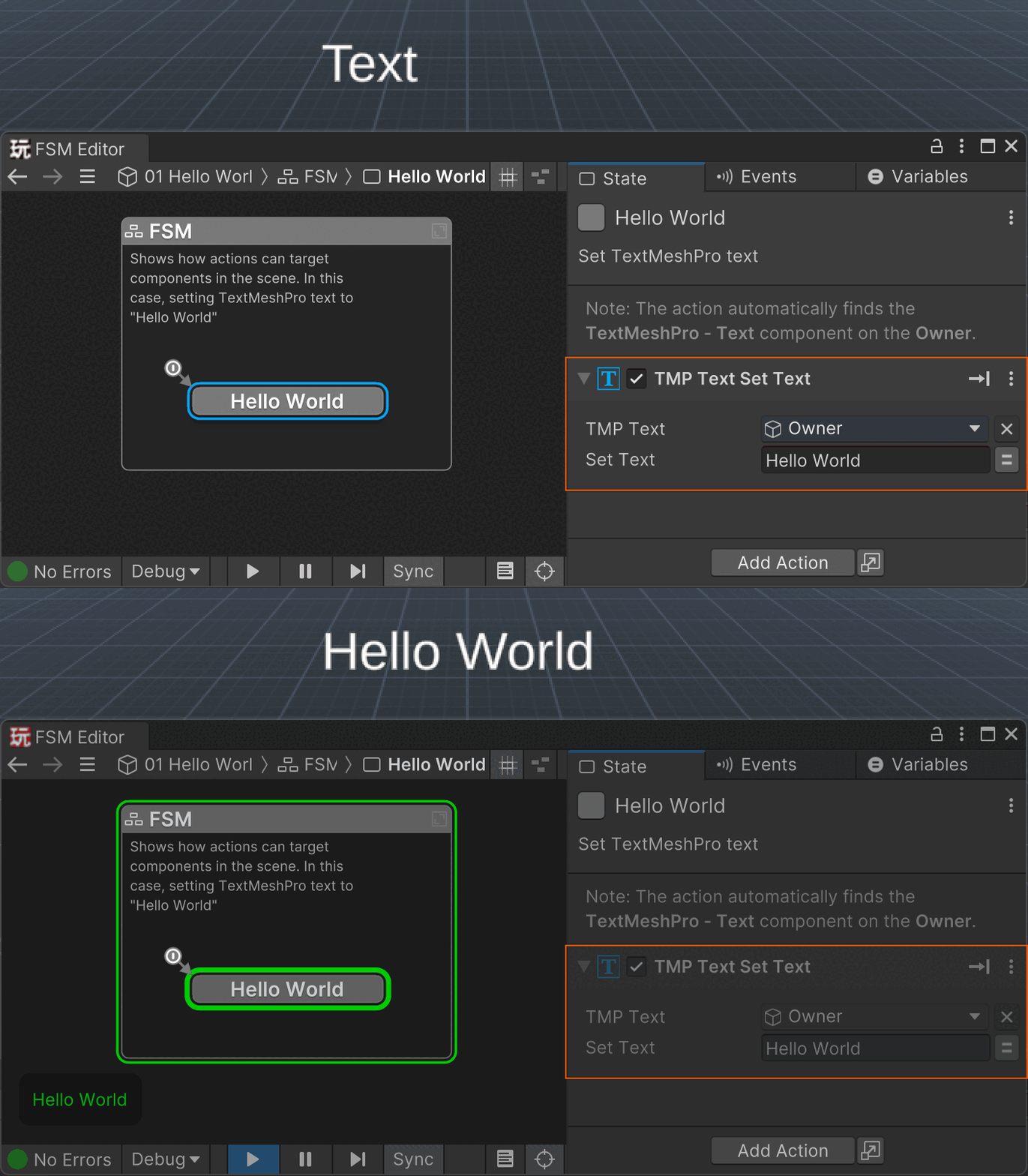
Collapsed actions show a nice summary:

02 Hello World - Input
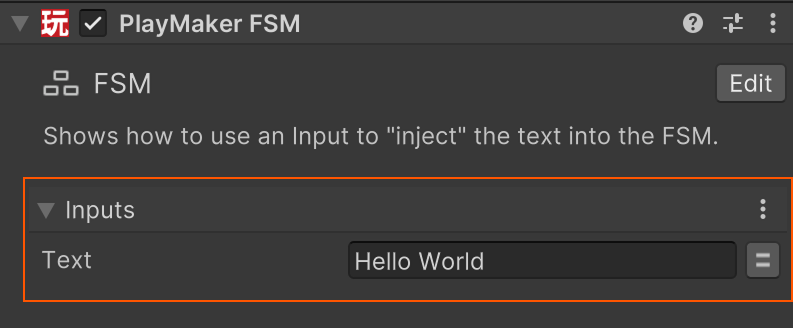
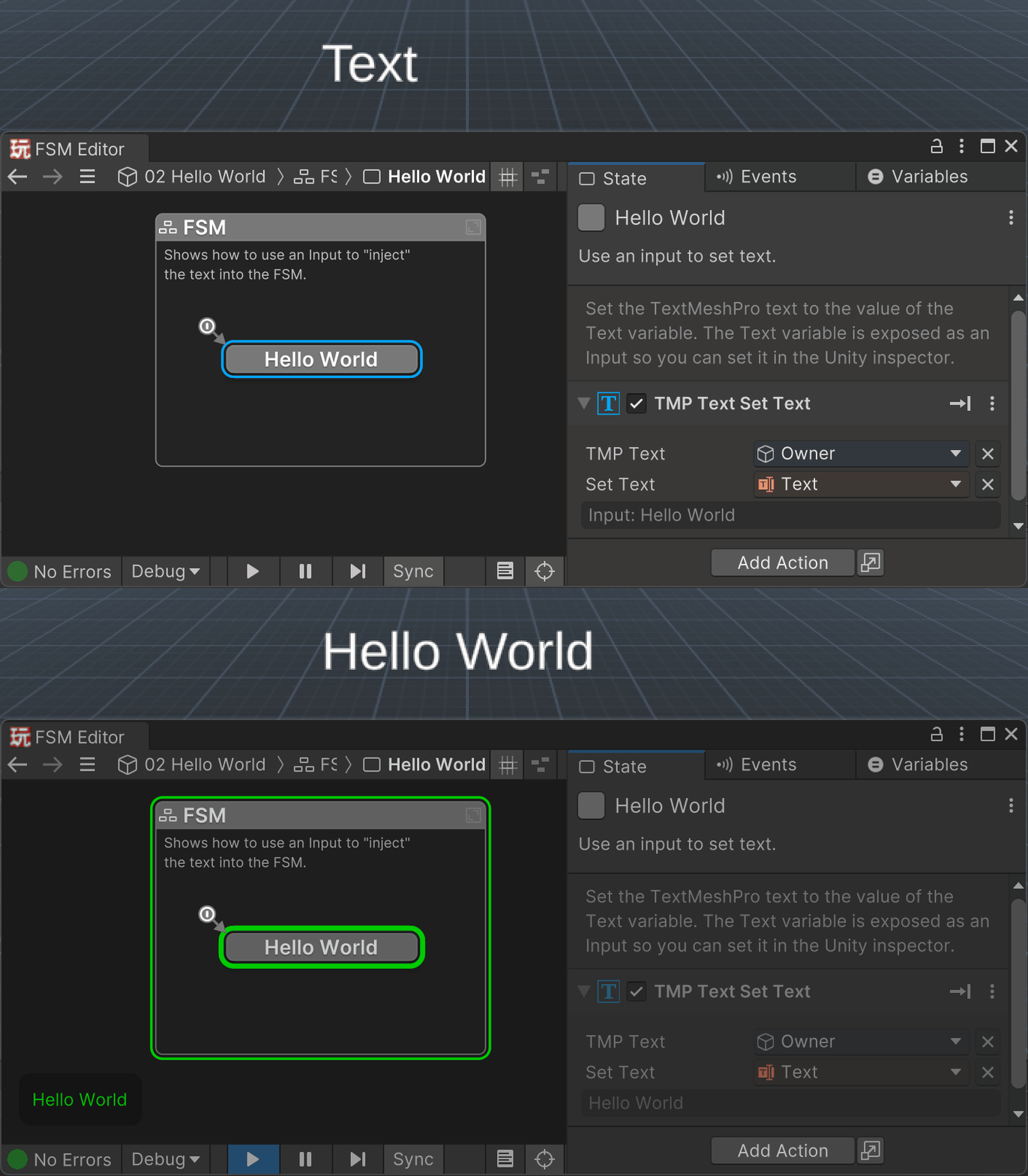
Use an Input variable to set the text in the Unity Inspector:
03 Hello World - Typewriter
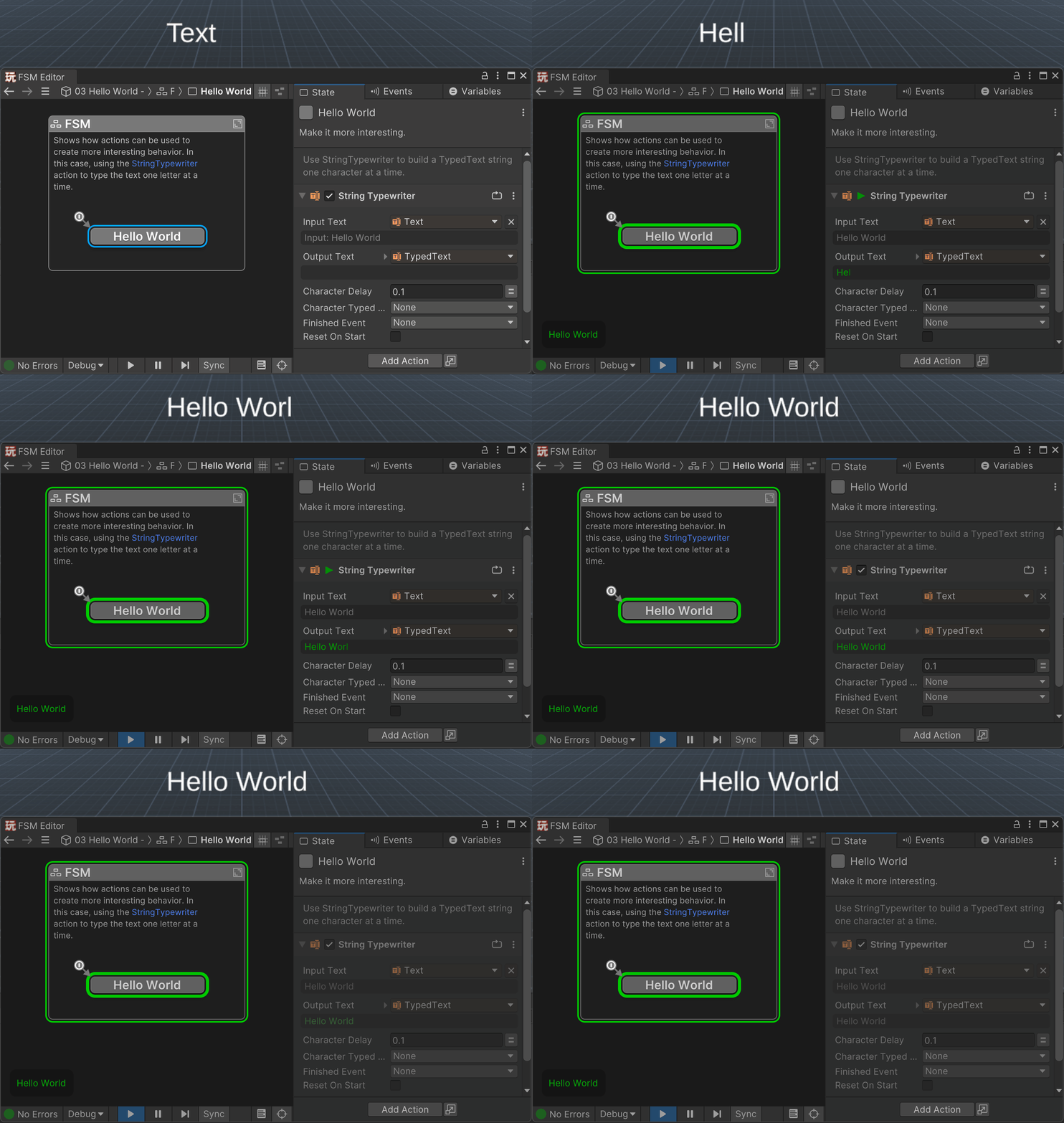
Use the StringTypewriter action to make the display more interesting:
04 Hello World - Typewriter Loop
Use the StringTypewriter action in a loop to do more work when typing each letter, e.g., play a sound or spawn particles:
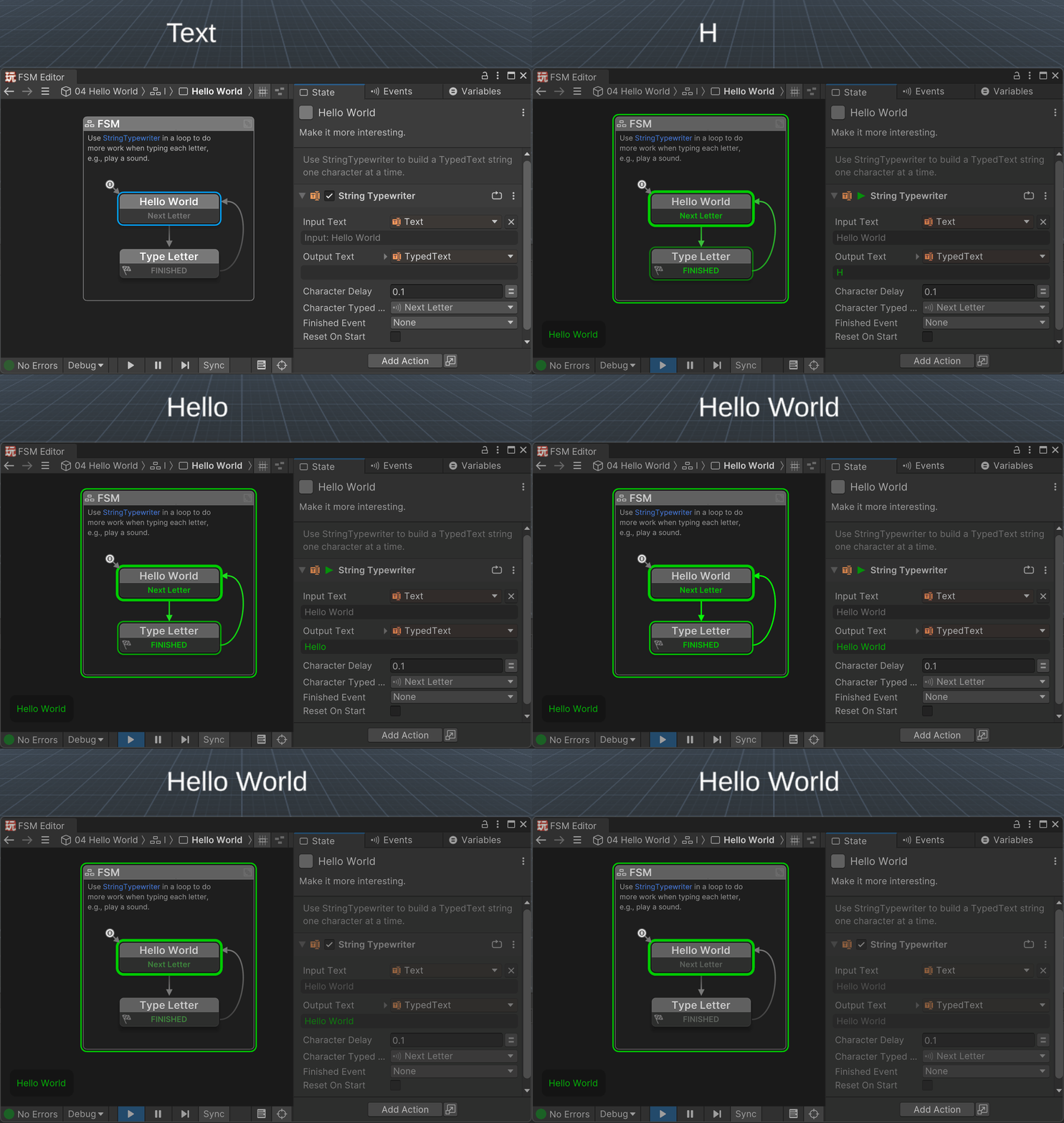
Don't worry if you don't quite get this example yet - it is more advanced!
It introduces the real power of PlayMaker, which is breaking behaviours into states.