Loop Items
PlayMaker → Addons → Getting Started
Shows how to use For Each List Item to loop through items in a list and run actions on them:
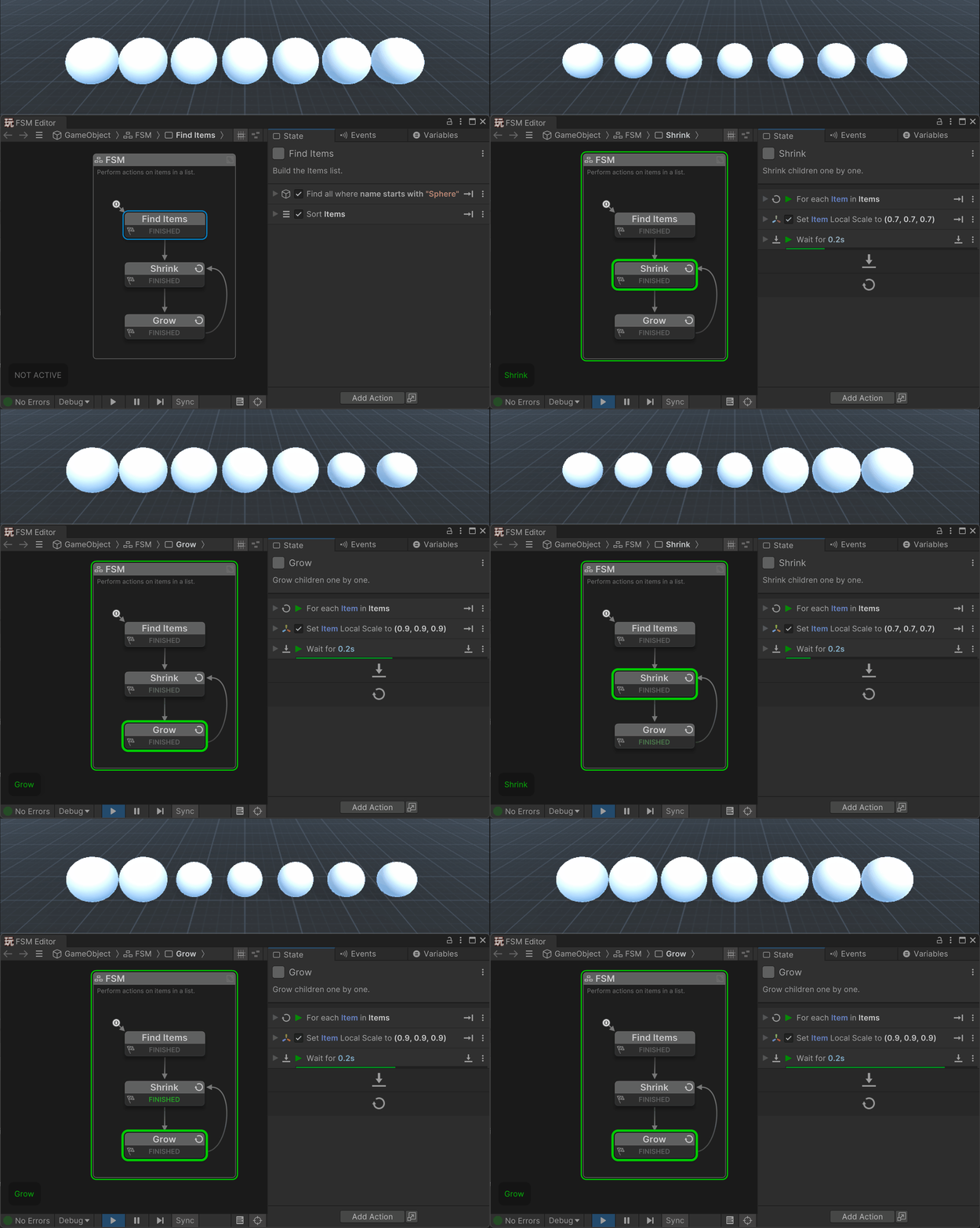
Loops are a powerful way to work with lists.
The For Each List Item action lets you automatically step through all the items in a list, one by one. Inside the loop you can run any actions you like on the current item - such as enabling components, changing materials, playing sounds, or sending events.
This is especially useful when:
- You want to apply the same setup or effect consistently across a list of items.
- You’re building procedural content, like a row of tiles or a particle system made of child GameObjects.
Tip
Combine For Each List Item with actions like Activate GameObject, Set Position, or Send Event to create powerful iteration patterns without writing any code.