Finder
PlayMaker → Finder
The Finder lets you search for any PlayMaker-related content across your project - including FSMs, events, variables, templates, and more.
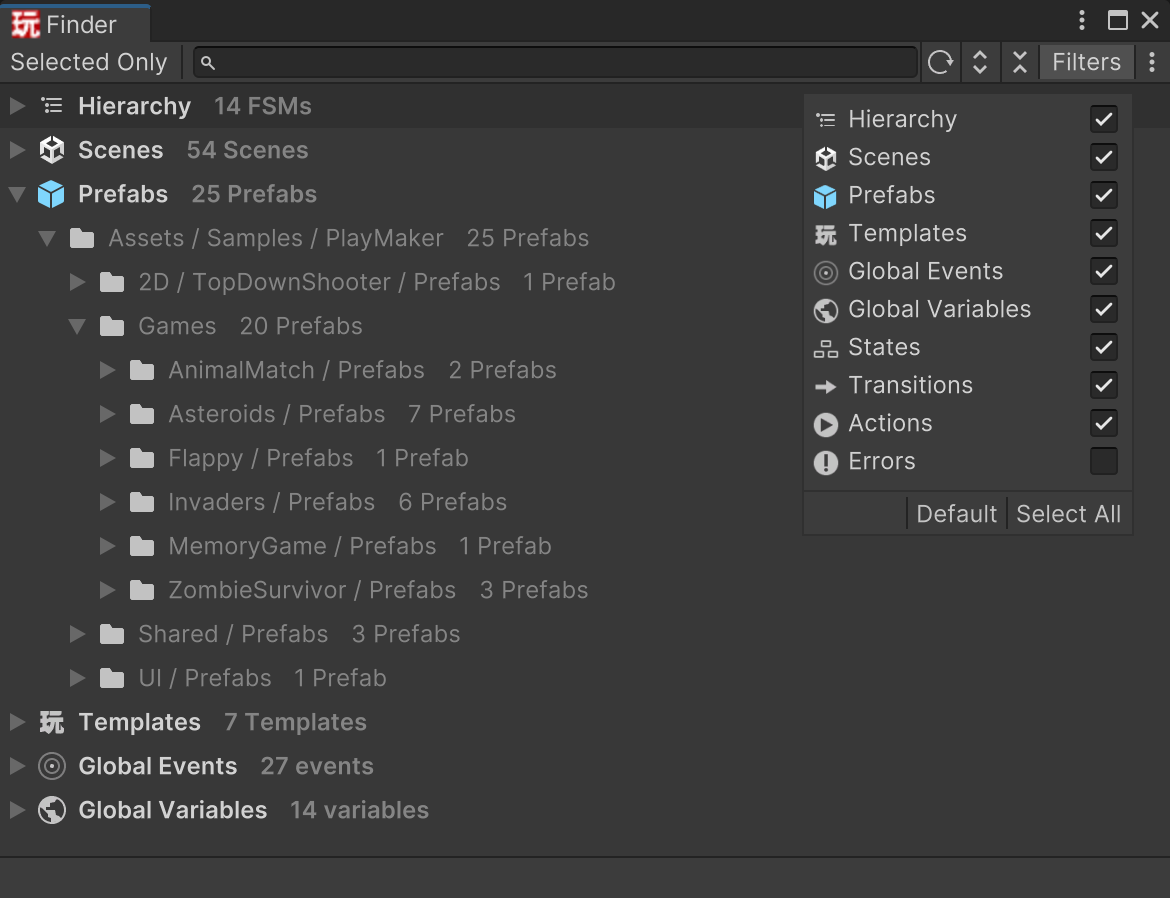
Controls
- Selected Only - Limit results to currently selected objects in the editor.
- Search - Filter the results tree by typing keywords.
- Refresh - Manually refresh the search results.
- Expand All - Expand the entire tree view.
- Collapse All - Collapse the tree view.
- Filters - Control what types of information appear in the results.
Filters
- Hierarchy - Search objects in the currently open scenes.
- Scenes - Search content in scene asset files.
- Prefabs - Search in prefab assets.
- Templates - Include FSM Templates in search.
- Global Events - Include Global Events.
- Global Variables - Include Global Variables.
- States - Show states in the results.
- Transitions - Show transitions in the results.
- Actions - Show actions (drill down to exact action locations).
- Errors - Show errors found in the results.
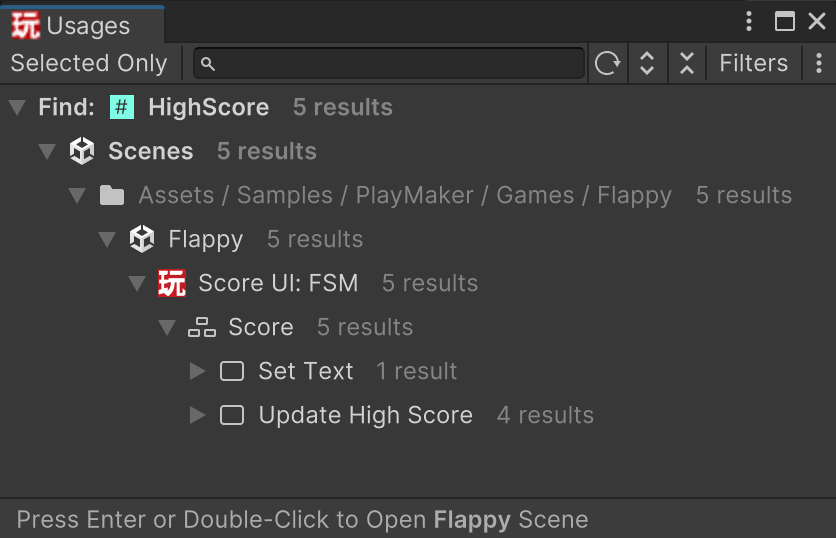
Find Usages
The Finder is also used to show usages when clicking "Used Count" fields in asset inspectors: