Debugging Using the Graph View
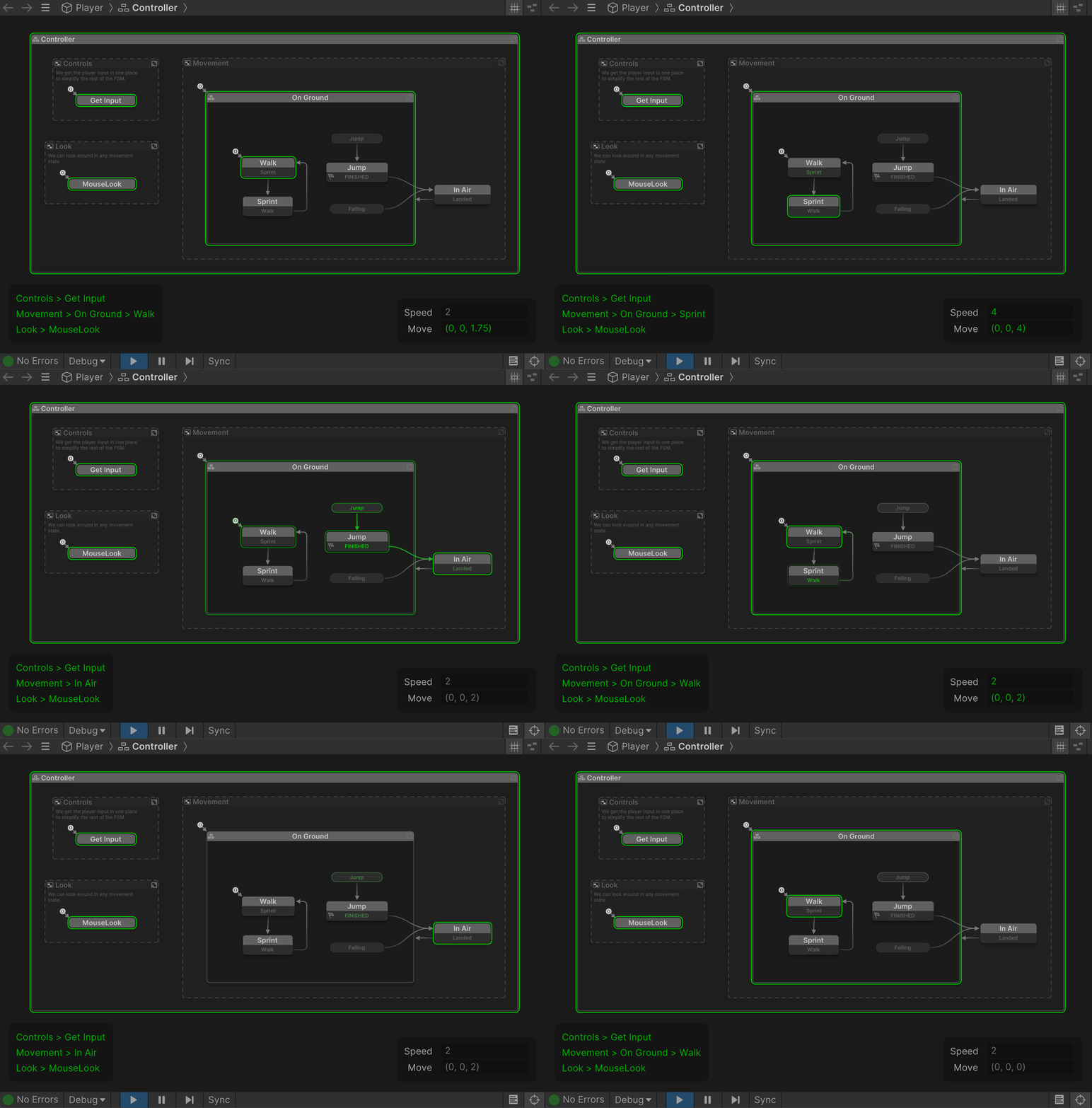
While playing, the Graph View shows active states, and transitions in real time:
Breakpoints
Toggle Breakpoint in the state context menu:
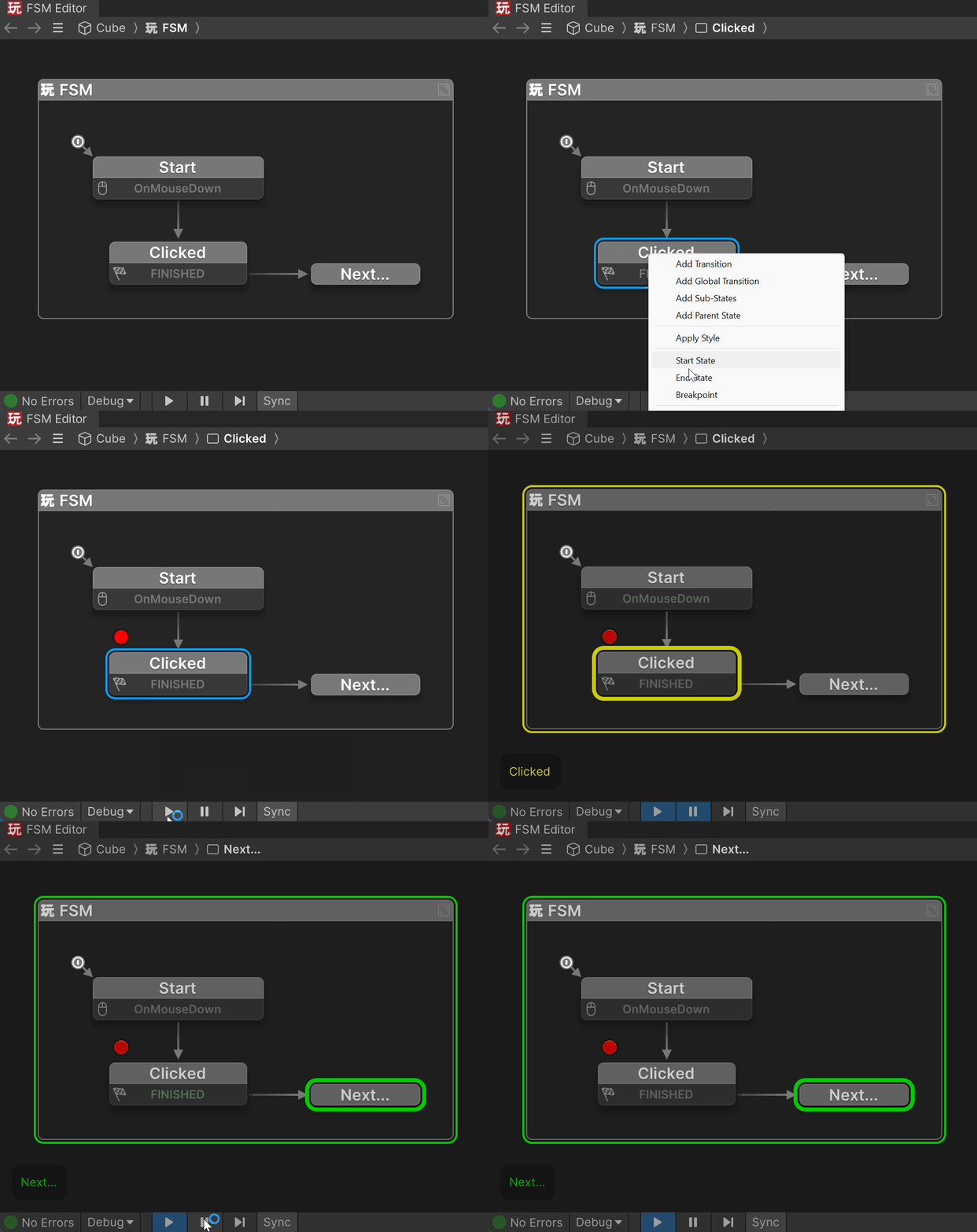
While playing in the editor, the game pauses when it hits a state with a Breakpoint.
This lets you examine the state of the game, variable values, the last event sent, etc.
Hit pause/continue to keep playing.
Debug Flow
Debug Flow lets you Pause the game and step backward/forward through FSM state changes:
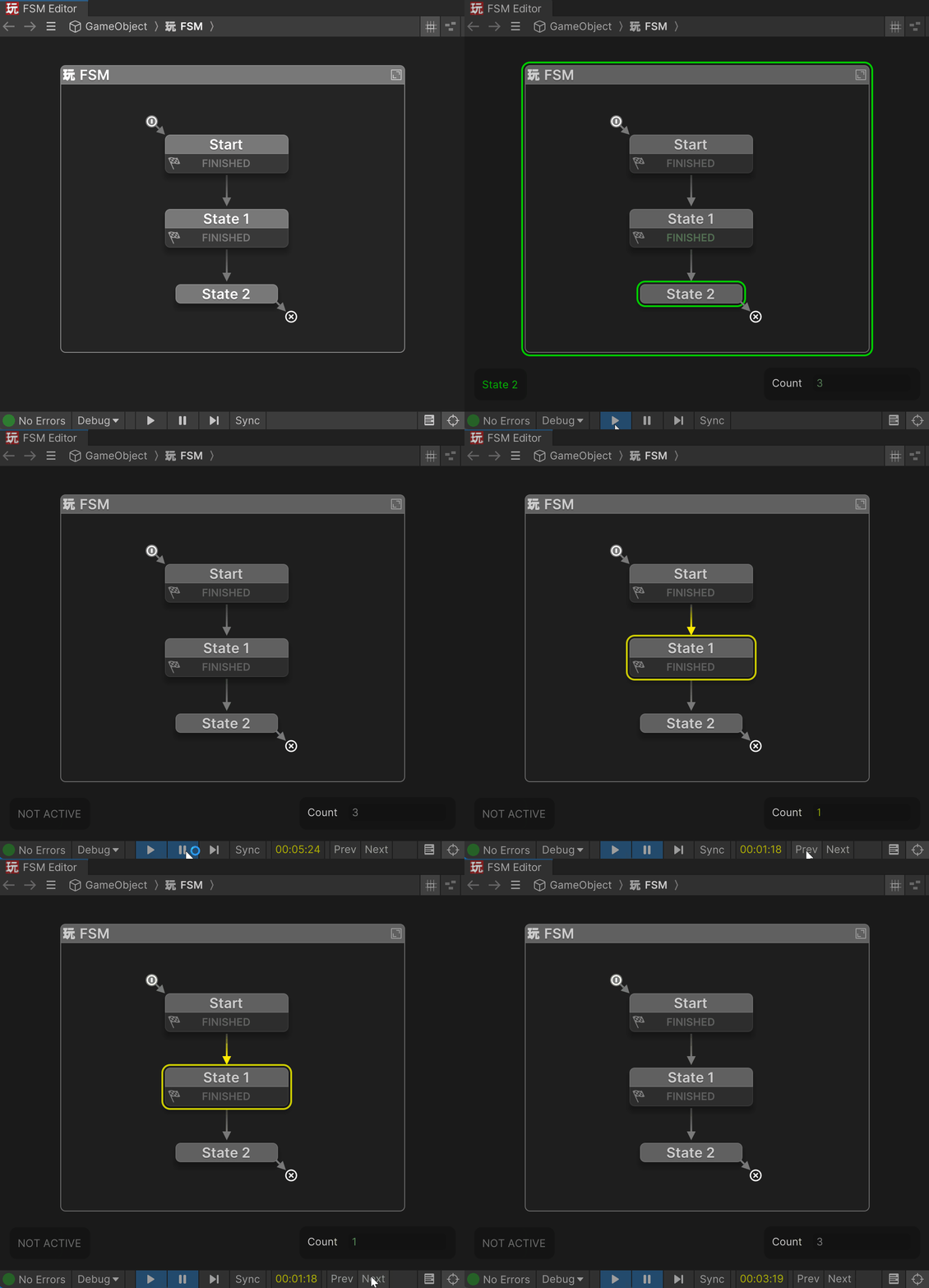
When navigating state changes:
- The timecode shows state entry time
- Variables update to show their values at that time.
Use this to inspect the exact order of execution or isolate subtle logic bugs.
Synchronized Time
The current debug time is synchronized with the FSM Log window.
Infinite Loops
It's possible to create loops that loop forever and would hang Unity.
PlayMaker detects these loops and breaks out of them with a warning:
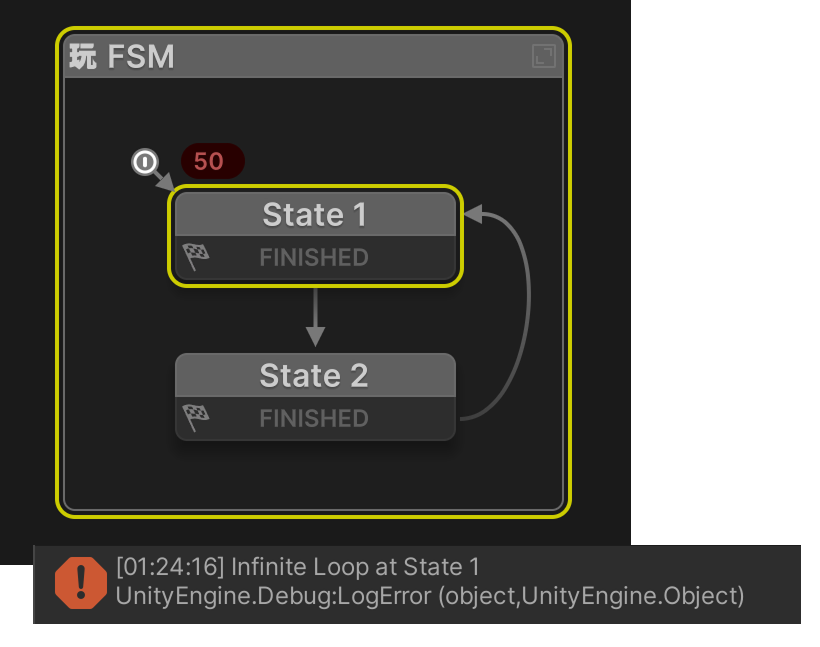
The default maximum loop count is 50.
Change this in FSM Inspector > Advanced Settings