FSM Log
PlayMaker → Debug → FSM Log
The log window shows state transitions and action logging for the selected FSM.
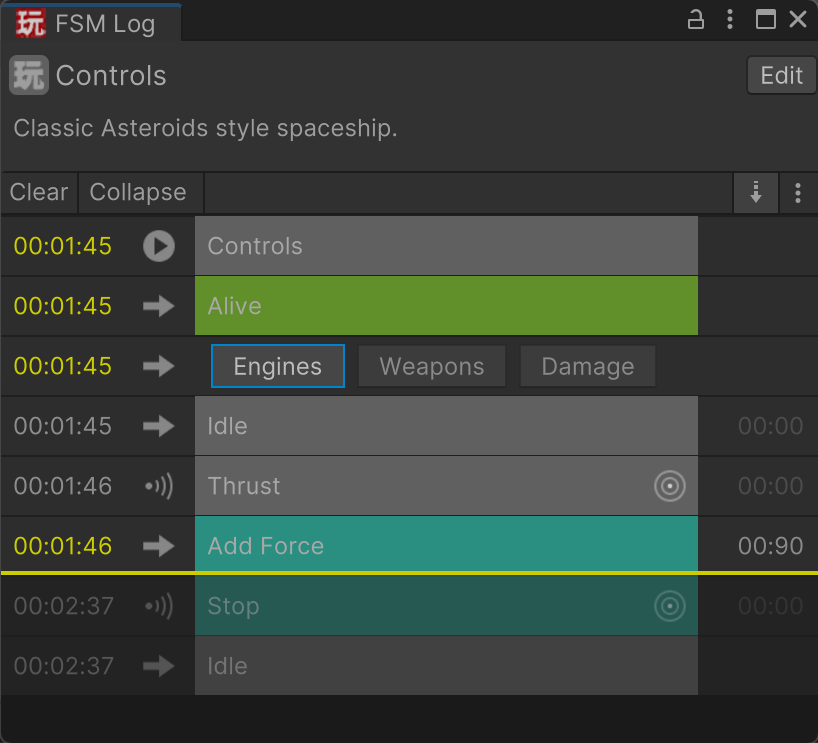
The log shows:
- Events sent and received
- Transitions between states
- Custom log messages from actions
Use the FSM Log to trace high-level behavior across FSMs and verify that key events are being sent and received as expected.
Debug Time
Click log events or use up/down keys to set the debug time, represented by a yellow line:
TODO: Animated gif
Synchronized Time
The debug time is synchronized across different debug tools. So you can step back in time, switch to another FSM, and see the log for that FSM at that time.